You’re staring at your research paper, wondering if your English sounds natural enough. You’ve heard about AI writing tools, but with Grammarly everywhere and Writefull claiming academic superiority, which one actually deserves your time and money? We’ve spent weeks testing both tools across real writing scenarios—from academic papers to casual emails—to give you the honest answer. Let’s cut through the marketing noise and find out which Writefull vs Grammarly winner best matches your actual needs.
Before diving deep, here’s what we discovered:
The verdict? Choose Writefull if you’re writing papers, theses, or publishing research. Pick Grammarly if you need an all-purpose writing companion for emails, blogs, and professional documents.
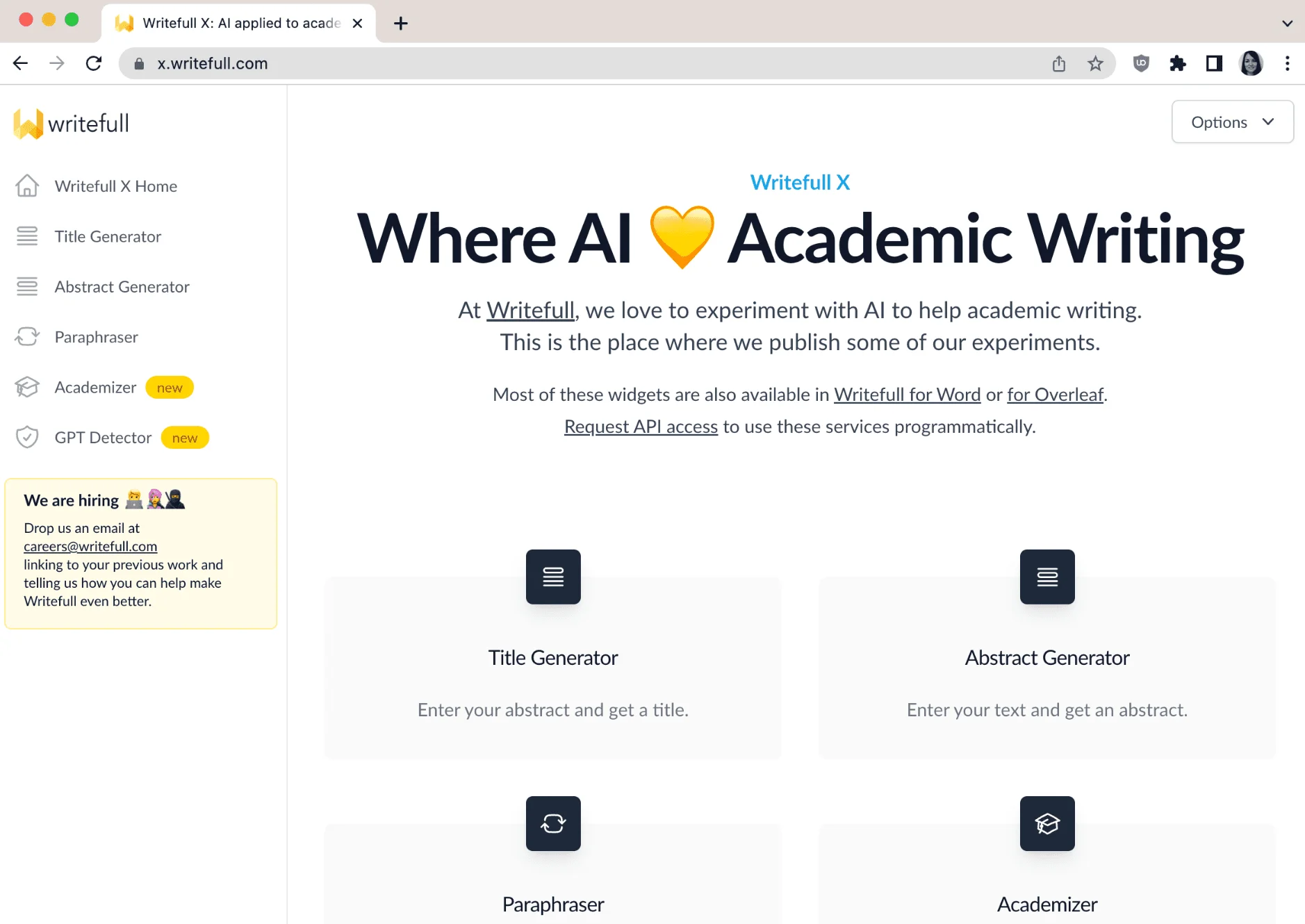
Writefull specializes in AI tools for academic writing.
Writefull is an AI writing assistant purpose-built for academic writers. Trained on millions of published journal articles, it offers specialized tools like title generators, abstract creators, and the unique Academizer that transforms casual sentences into formal academic language. It integrates seamlessly with Microsoft Word and Overleaf, making it the go-to choice for researchers and students working on scholarly papers.
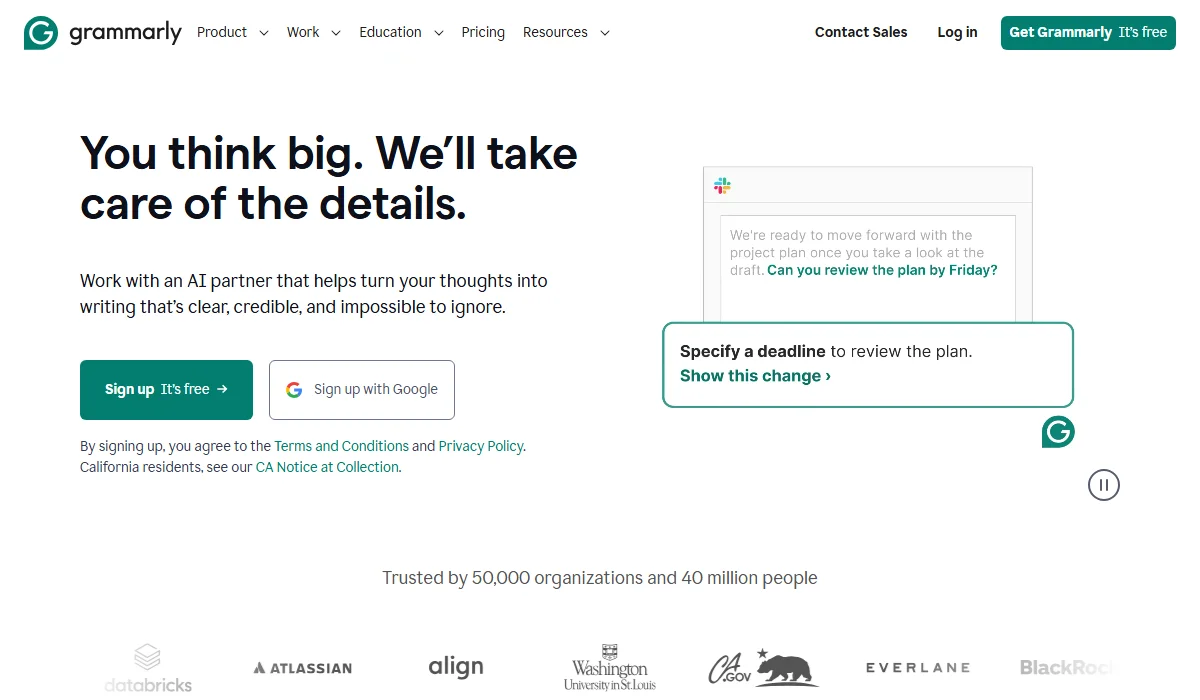
Grammarly offers AI writing tools for general English.
Grammarly is a comprehensive AI writing assistant designed for general English writing across all contexts. Trusted by over 40 million users and 50,000 organizations, it provides real-time grammar corrections, tone adjustments, and plagiarism detection across 500,000+ websites and apps. With powerful generative AI features and extensive platform integration, Grammarly helps everyone from students to marketing teams write clearer, more effective content.
Choosing between these tools isn’t straightforward—each excels in different areas. Let’s break down six critical features to see how they stack up. Here’s a quick overview before we dive into the details:
|
Feature |
Writefull | Grammarly |
Winner |
| AI Language Correction | Academic-focused, trained on journals | General purpose, rules + AI | Tie |
| Academic Writing Tools | Specialized (Academizer, TeXGPT) | Basic academic support | Writefull |
| Plagiarism Checking | Not available | Scans billions of pages | Grammarly |
| Style & Tone Adjustment | Academic formalization only | Multiple tones, full flexibility | Grammarly |
| Platform Integration | Limited (Word, Overleaf, Web) | Extensive (500,000+ sites) | Grammarly |
| Vocabulary Enhancement | Context from research papers | General synonym suggestions | Tie |
When it comes to catching language errors, both tools take different approaches. Writefull uses AI models trained exclusively on millions of published journal articles, meaning it understands academic phrasing patterns at a deep level. Independent analyses by six publishers and copyediting companies confirmed that Writefull outperforms Grammarly in both the number and accuracy of suggestions for academic texts. It doesn’t rely on rigid grammar rules, making its feedback more flexible and contextually appropriate for scholarly work.
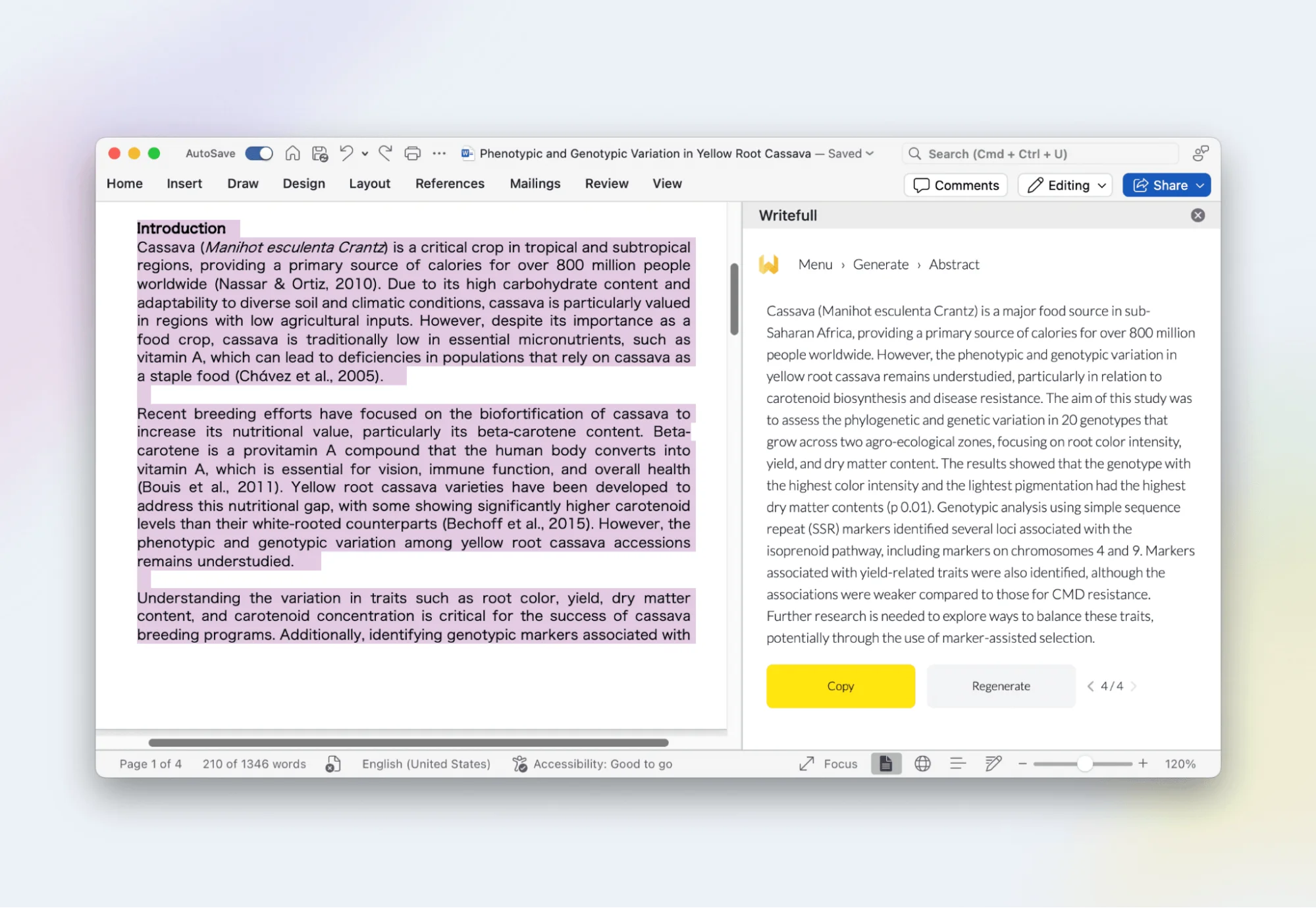
Writefull excels in academic language correction accuracy.
Grammarly, however, takes the crown for everyday writing accuracy. Its combination of rules-based checking and advanced AI makes it incredibly reliable for emails, blog posts, reports, and social media content. While it may miss some nuanced academic phrasing, it excels at catching common grammar mistakes, punctuation errors, and clarity issues that plague general writing. For non-academic contexts, Grammarly’s real-time corrections feel more natural and comprehensive.
Winner: Tie (Writefull for academic writing, Grammarly for general writing)

Grammarly excels in general writing accuracy and clarity.
This category isn’t even close. Writefull was built specifically for researchers, and it shows. The Academizer transforms informal sentences into proper academic language instantly—perfect when you’ve drafted ideas casually and need them publication-ready. The Title Generator creates compelling titles from your abstract, while the Abstract Generator does the reverse, crafting abstracts from your full paper. We found these particularly helpful during the tedious final formatting stages.
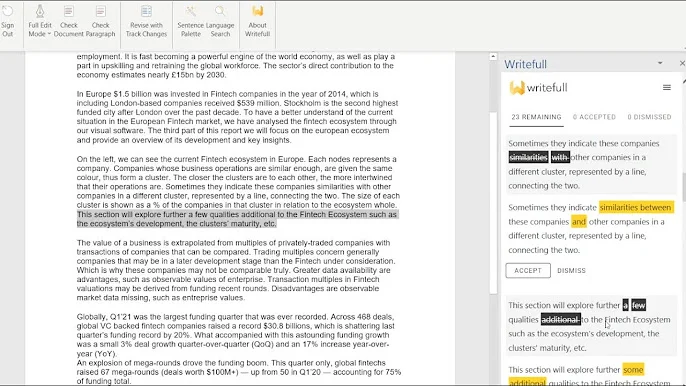
Writefull offers specialized academic writing tools.
The real game-changer is TeXGPT, which automatically generates LaTeX code for tables, formulas, and equations directly within Overleaf. For anyone working with technical papers, this saves hours of manual coding. Writefull also includes a Sentence Palette that categorizes phrases based on your paper section’s purpose—introduction, methodology, results, or discussion—ensuring you use appropriate academic language throughout.
Grammarly, by contrast, offers basic academic support but lacks these specialized tools entirely. It can catch grammar mistakes in academic papers, but it won’t help you structure scholarly arguments or generate discipline-specific content. If you’re writing research papers regularly, Writefull vs Grammarly isn’t really a competition in this category.
Winner: Writefull
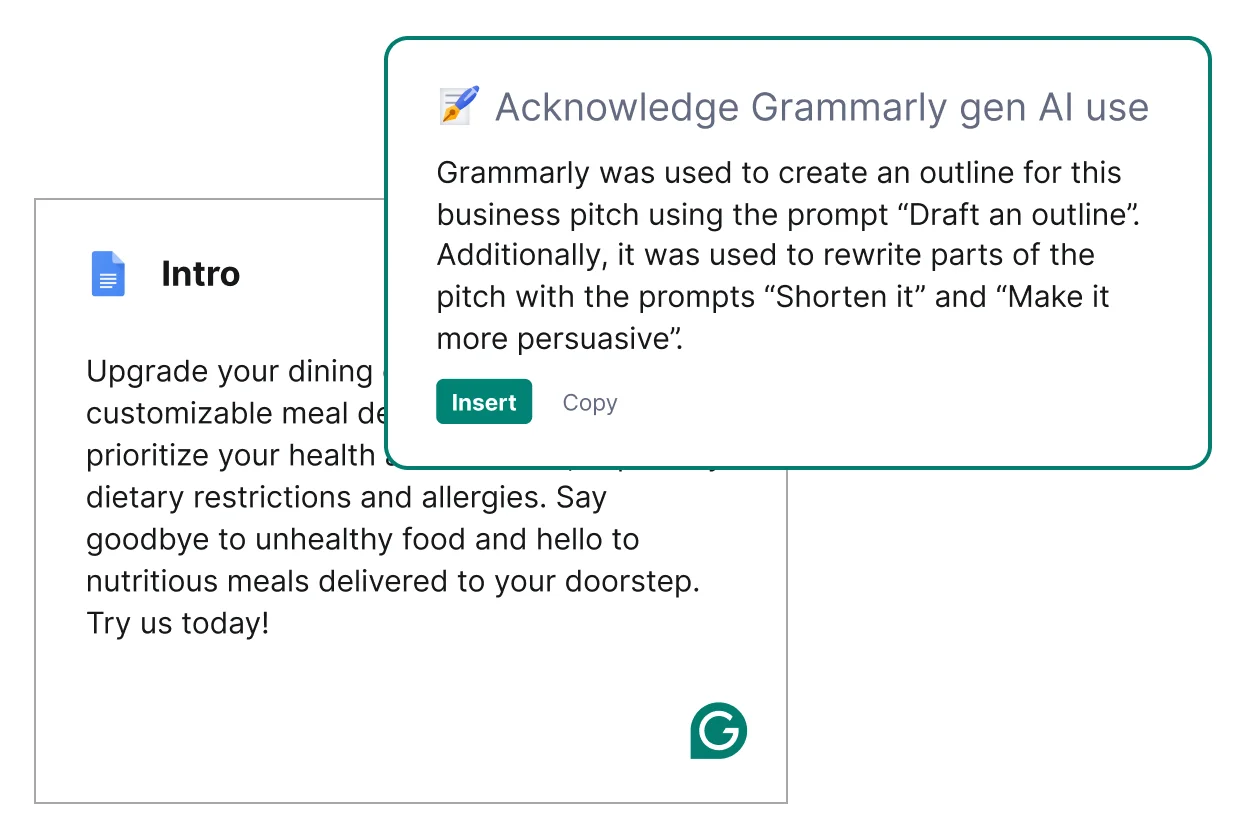
Grammarly lacks specialized academic writing tools.
Winner: Grammarly
Here’s where Grammarly shines. Its Pro plan includes comprehensive plagiarism detection that scans your text against billions of web pages, academic databases, and published content. We tested it with various sources, and it consistently flagged even small similarities, providing direct links to the original sources. This is invaluable for students and professionals who need to ensure their work is entirely original before submission.
Grammarly offers a robust Citation Generator, which locates source details and formats citations automatically in MLA, APA, or Chicago style. The Authorship feature provides transparent AI attribution with a replay function showing exactly which parts were AI-assisted—crucial for academic integrity.
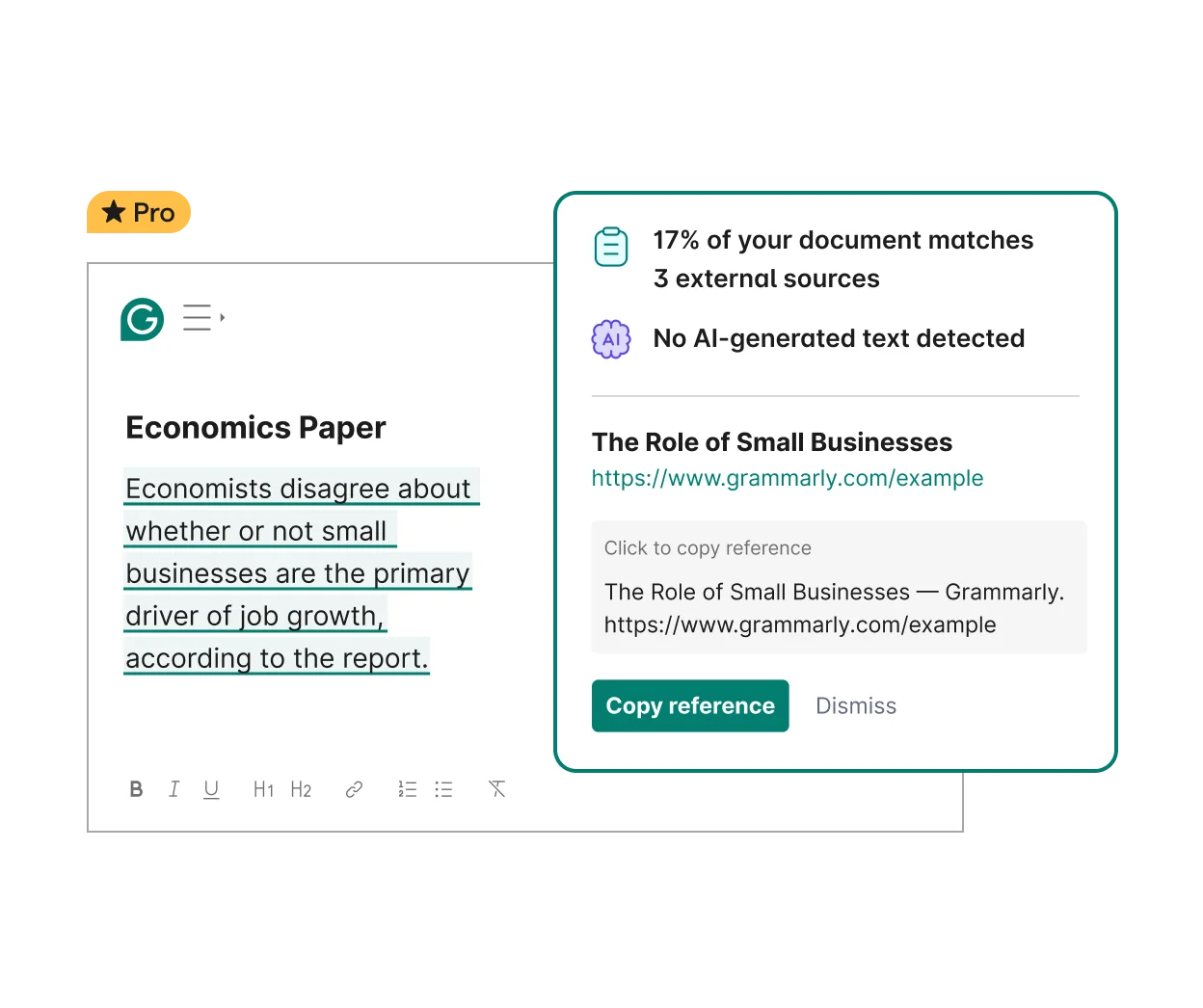
Grammarly provides plagiarism checks and citation tools.
Writefull doesn’t offer plagiarism checking at all. While it includes a GPT Detector to identify AI-generated text (GPT-3, GPT-4, ChatGPT), that’s fundamentally different from plagiarism detection. If you need to verify originality or properly cite sources, Grammarly is your only option between these two tools.
Tone adjustment is where Grammarly’s versatility becomes apparent. It can detect your writing’s emotional tone and adjust it across a spectrum—from formal to friendly, confident to cautious, enthusiastic to matter-of-fact. We loved this flexibility when switching between professional emails and casual social media posts. The tool analyzes your audience and suggests tone shifts that make your message land more effectively.
Grammarly’s full-sentence rewrite feature powered by AI can transform entire paragraphs while maintaining your original meaning but with better flow and clarity. It also offers brand tone customization for teams, ensuring consistent voice across all company communications.
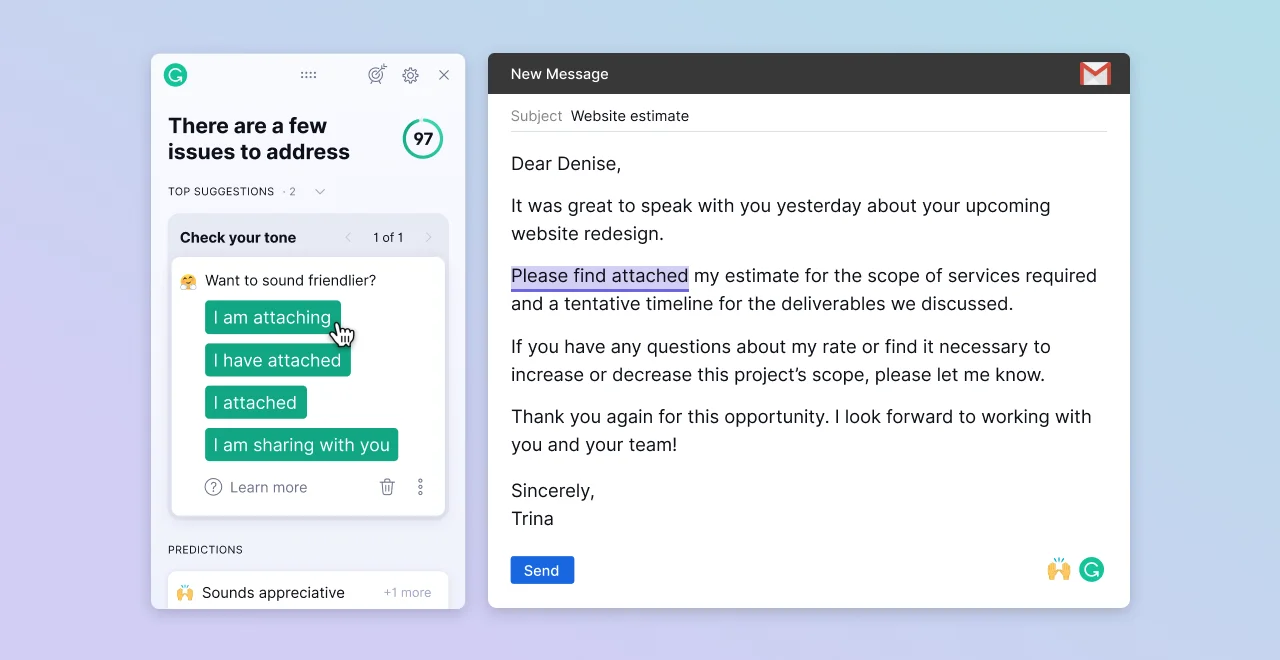
Grammarly adjusts tone and offers AI-powered rewrites.
Writefull’s approach is narrower but purposeful. Its Academizer specifically converts informal language into formal academic style—focusing exclusively on elevating formality. While this serves academic writers perfectly, it lacks the range needed for diverse writing contexts. You can’t use Writefull to make your writing more conversational or adjust for different professional settings. When comparing Writefull vs Grammarly for tone flexibility, Grammarly offers far more options.
Winner: Grammarly
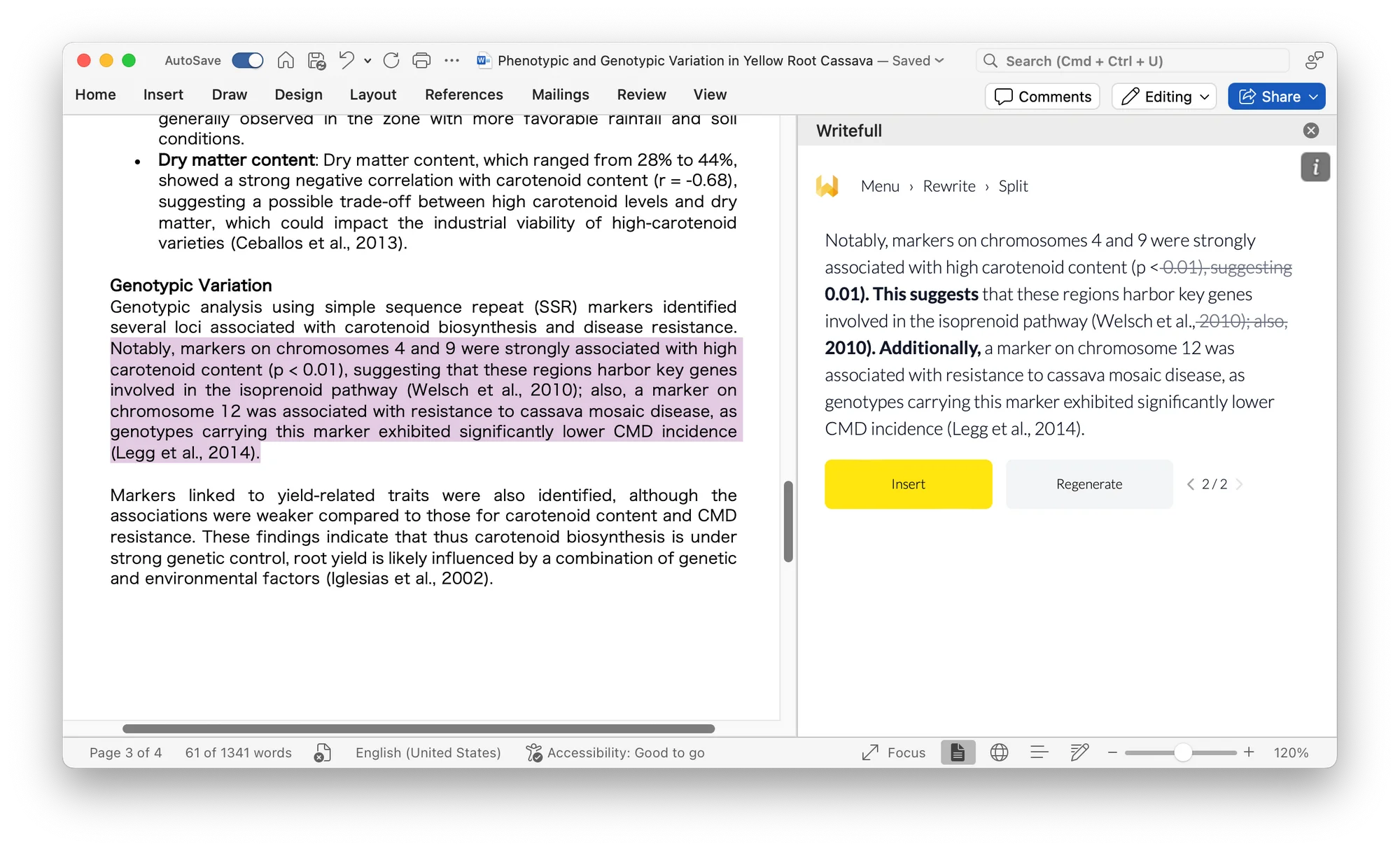
Writefull Academizer ensures a formal academic tone.
Winner: Grammarly
Integration separates these tools dramatically. Grammarly works seamlessly across over 500,000 websites and applications, including Chrome, Safari, Firefox, Edge, Microsoft Office, Google Docs, Gmail, WhatsApp, Slack, and virtually every major platform you use daily. Install it once, and it follows you everywhere. The mobile keyboard replacement on iOS and Android means even your phone texts get grammar-checked automatically.
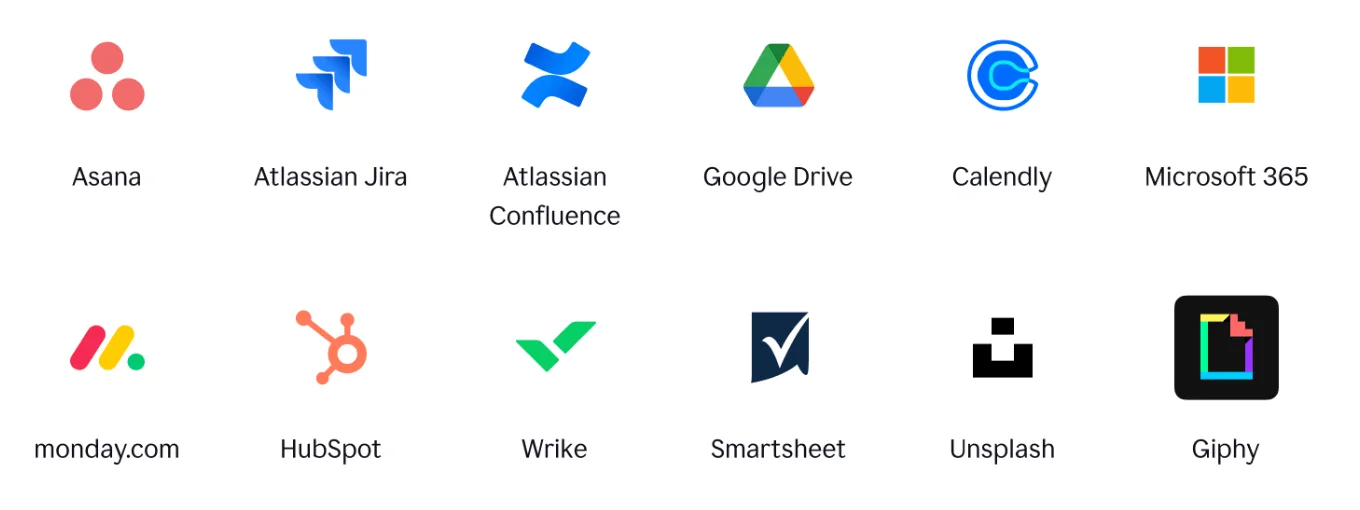
Grammarly integrates with 500,000+ apps and sites.
Writefull focuses on academic environments: Microsoft Word, Overleaf (with native LaTeX support), and its web editor. That’s it. No browser extension checking your emails, no mobile app improving your texts, and no integration with collaboration tools. For researchers who live in Word and Overleaf, this targeted approach works fine. But for everyone else, the limited reach feels restrictive. If your workflow extends beyond academic writing platforms, Grammarly’s extensive integration wins decisively.
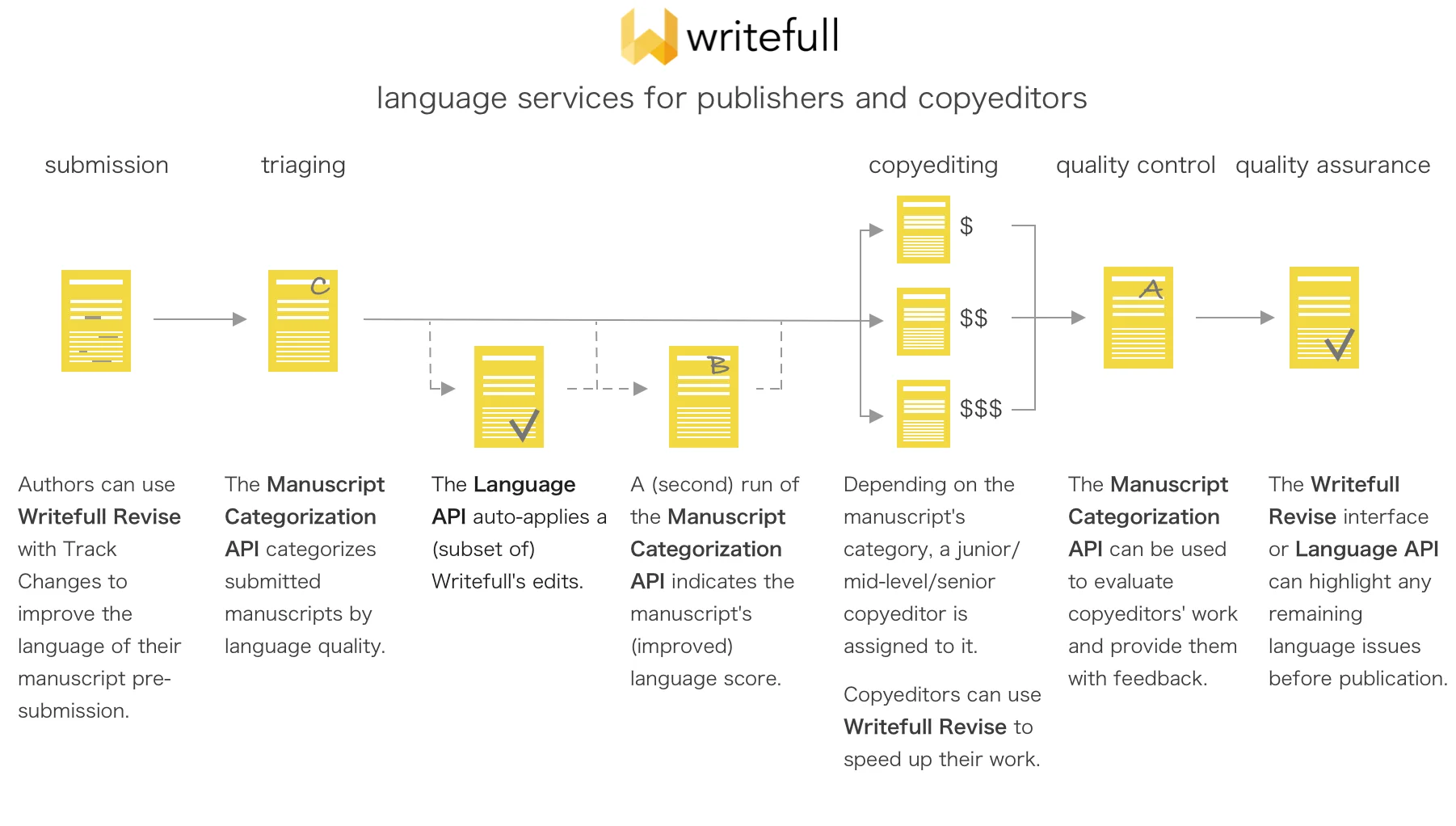
Writefull integrates with Word, Overleaf, and Web.
Winner: Tie (Writefull for academic, Grammarly for general)
Both tools approach vocabulary differently based on their core audiences. Writefull’s Language Search feature shows you how specific words and phrases are actually used in published research papers. This context from real academic literature is gold when you’re unsure whether a term fits your discipline’s conventions. The suggestions feel authentic because they’re drawn from millions of journal articles in your field.
Writefull’s paraphraser offers three levels of rewriting, each maintaining academic appropriateness while varying sentence structure and word choice. We found this particularly helpful when revising papers to avoid repetitive phrasing without losing scholarly tone.
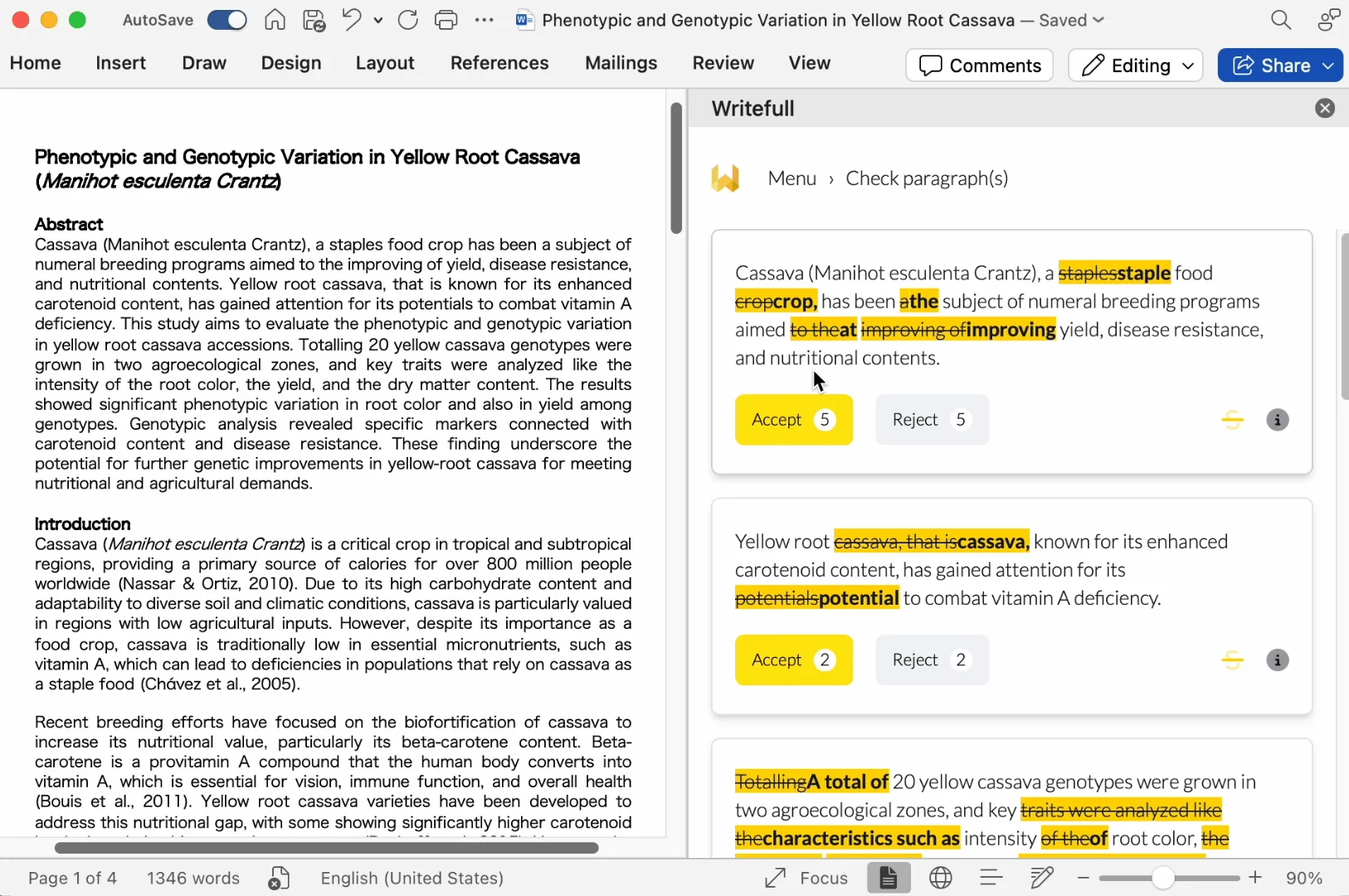
Writefull provides Language Search and academic paraphrasing.
Grammarly takes a broader approach with context-aware synonym suggestions and clarity improvements suitable for any writing style. Its vocabulary enhancements work well for business writing, creative content, and casual communication. The 2025 updates brought more advanced sentence structure improvements and active voice suggestions, making writing punchier and more engaging across contexts.
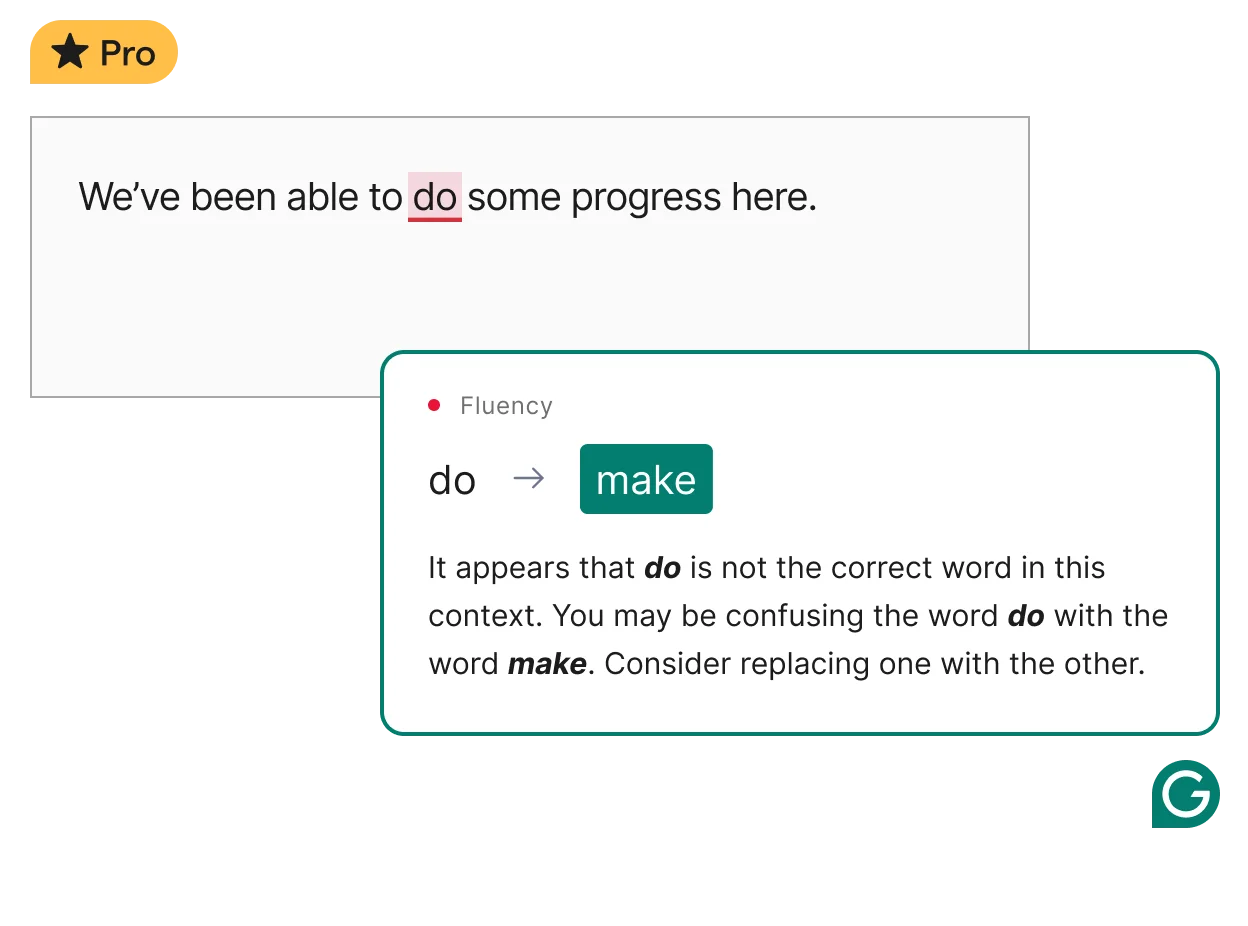
Grammarly enhances vocabulary for diverse writing styles.
For academic writing, Writefull’s domain-specific vocabulary wins. For everything else, Grammarly’s versatile suggestions prove more useful.
You may be interested in:
Grammarly vs Hemingway: Which AI Writing Assistant Wins in 2025?
Microsoft Editor vs Grammarly: Which AI Writing Assistant Wins in 2025?
|
Writefull |
Grammarly |
|
| Pros | ✅ Purpose-built for academic writing
✅ More affordable pricing ✅ Trained on journal articles ✅ LaTeX/Overleaf native support ✅ Specialized tools Academizer TeXGPT ✅ Superior academic accuracy |
✅ Works everywhere, 500,000+ sites
✅ Comprehensive plagiarism detection ✅Flexible tone adjustment ✅ Strong team collaboration features ✅ Mobile keyboard integration ✅ Powerful generative AI 2,000 prompts/month |
| Pros | ❌ Limited platform integration
❌ No plagiarism checking ❌ Poor mobile support ❌ Narrow use case academics only ❌ Fewer general writing features ❌ No automatic citation formatting |
❌ More expensive pricing
❌ Less accurate for academic writing ❌ No Overleaf support ❌Can make writing feel generic ❌Requires constant internet ❌ Overkill for simple academic papers |
| Feature | Writefull | Grammarly |
| Free Plan | ✅ Basic suggestions + free quota | ✅ Grammar/spelling + 100 AI prompts/month |
| Free Trial | ❌ No trial period (Free version available) | ✅ 7-day Pro trial available |
| Premium Pricing | $12.50/month
(Billed annually at $150/year) |
$12/month
(Billed annually at $144/year) |
| Student Discount | ✅ Available (contact support) | ✅ Available for verified students |
| Team Plans | From $285/year for groups | Pro: same individual pricing
Enterprise: custom quote |
| Refund Policy | 30-day money-back guarantee | 7-day refund window after purchase |
| Upgrade/Downgrade | Flexible, prorated adjustments | Immediate, with prorated refunds |
| Payment Methods | Credit card, PayPal | Credit card, PayPal, bank transfer (teams) |
| Key Insight | Best for specialized academic writing needs | Best all-around value for general users |
Note: Writefull offers significantly better value for dedicated academic writers, while Grammarly’s free tier handles basic needs surprisingly well. If you’re unsure, start with Grammarly’s free plan to test functionality before committing.
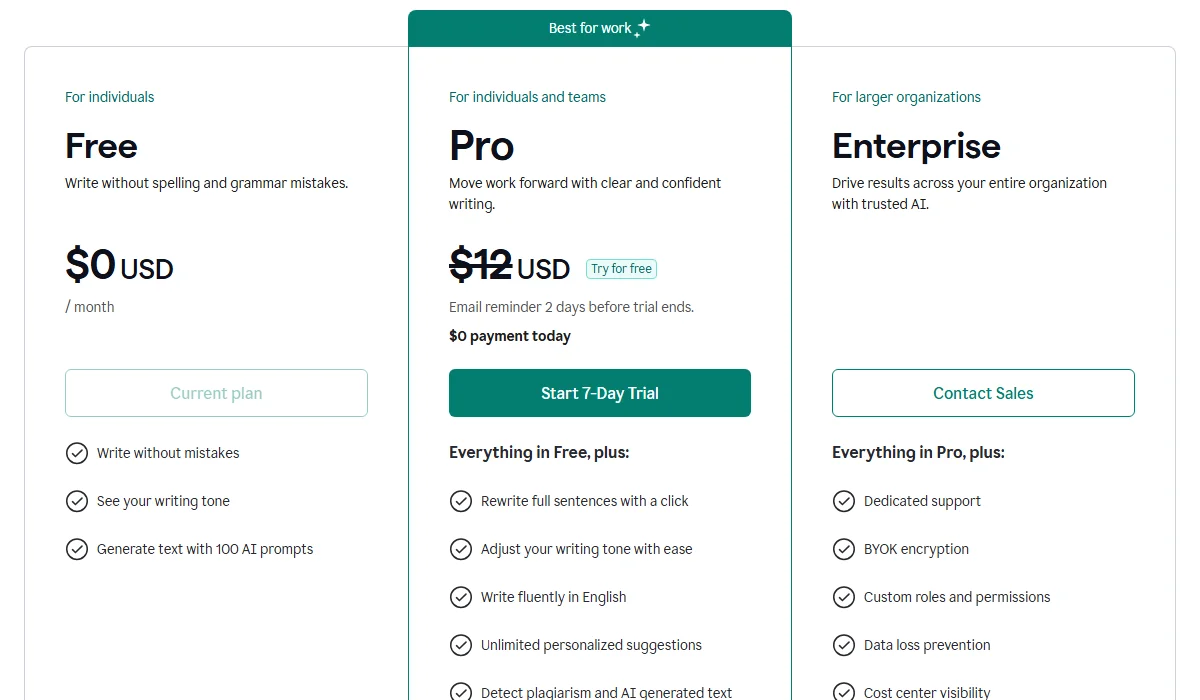
Grammarly Pricing Plan

Writefull Pricing Plan
Before deciding between Writefull vs Grammarly, evaluate these critical factors:
You may be interested in:
Grammarly vs Copilot: Which AI Writing Assistant Wins in 2025?
Grammarly vs LanguageTool: Which Grammar Checker Wins in 2025?
Choose Writefull if you’re:
Choose Grammarly if you’re:
Ready to improve your writing? Test drive Writefull for your next research paper or use Grammarly for your daily communications. Share your experience in the comments—we’d love to hear which tool worked best for your specific needs! And don’t forget to subscribe to TechDictionary for more honest, in-depth tool comparisons that cut through the marketing hype.
You may be interested in:
Grammarly vs ProWritingAid: Which is better for proofreading in 2025?
Wordtune vs Grammarly (2025): Which Is The Best AI Writing Tool?
Yes, absolutely. Many researchers use Writefull for academic papers in Word or Overleaf to handle scholarly nuances, while using Grammarly for emails and general documents. They function well as complementary tools in different workflows.
Yes. Independent analyses indicate that Writefull often provides more relevant suggestions for academic texts because its AI models are trained specifically on millions of published journal articles, whereas Grammarly is trained on general internet text.
No. Grammarly does not natively integrate with Overleaf, which makes it difficult to use for LaTeX documents. Writefull, however, offers a dedicated extension for Overleaf that understands LaTeX syntax.
It depends on the goal. Writefull is superior for non-native researchers who need to sound “academic” and use discipline-specific vocabulary. Grammarly is better for non-native speakers needing clear explanations and help with basic fluency in everyday English.
Yes, both offer permanent free plans. Grammarly’s free version is robust, offering critical grammar and spelling checks. Writefull’s free plan allows for a limited number of AI suggestions per day but is still useful for quick checks.