You’re staring at a blank page at 2 AM, coffee cold, deadline looming. You’ve heard AI can help, but which one? Sudowrite promises magic with its fiction-trained AI, while NovelCrafter boasts organizational superpowers. We spent weeks testing both tools, drafting scenes, organizing complex plots, and burning through credits to answer one question: which AI writing assistant actually delivers for serious fiction writers in 2025? Let’s cut through the marketing fluff and show you what really matters in the Sudowrite vs NovelCrafter debate.
Before we dive deep, here’s what you need to know about the Sudowrite vs NovelCrafter showdown:
Sudowrite wins for:
NovelCrafter wins for:
Bottom line: Choose Sudowrite if you’re a discovery writer who values prose quality over organization. Pick NovelCrafter if you’re a plotter who needs robust planning tools and wants to control costs.
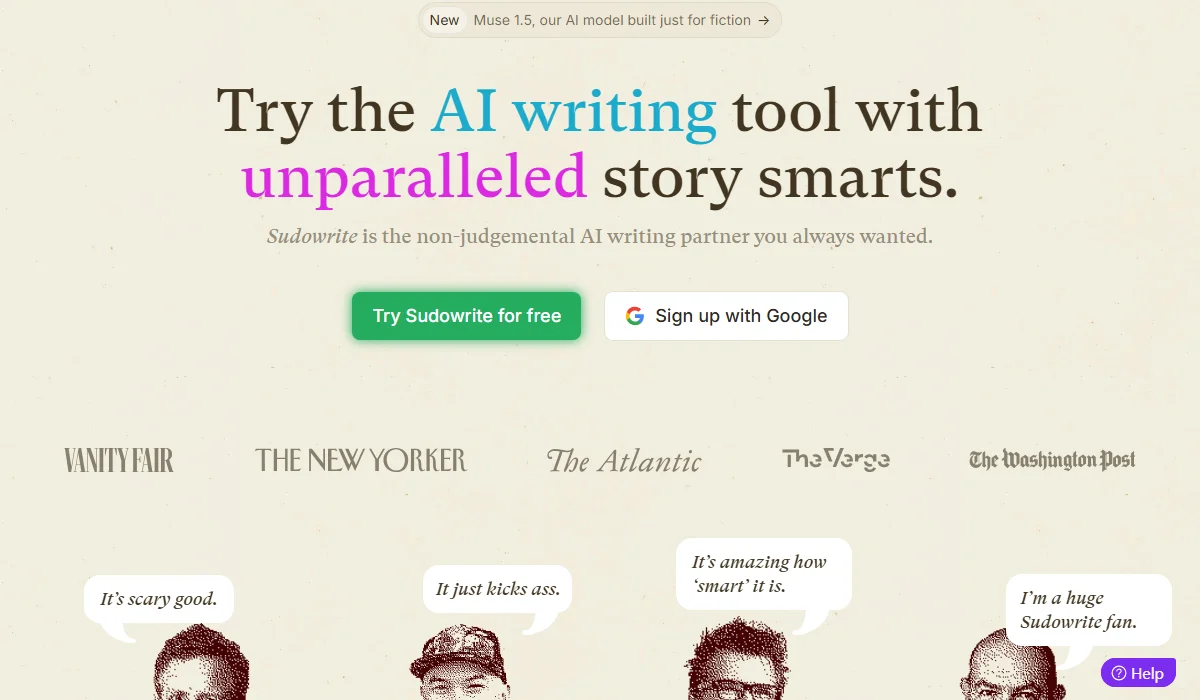
Sudowrite is an AI tool for fiction using Muse 1.5.
Sudowrite is an AI writing partner built specifically for fiction writers, powered by 24+ language models including its proprietary Muse 1.5 trained exclusively on novels and short stories. Founded by writers Amit Gupta and James Yu, it excels at generating creative prose through specialized tools like Describe, Brainstorm, and Rewrite. The platform serves over 100,000 authors with an all-in-one subscription model starting at $10/month annually.
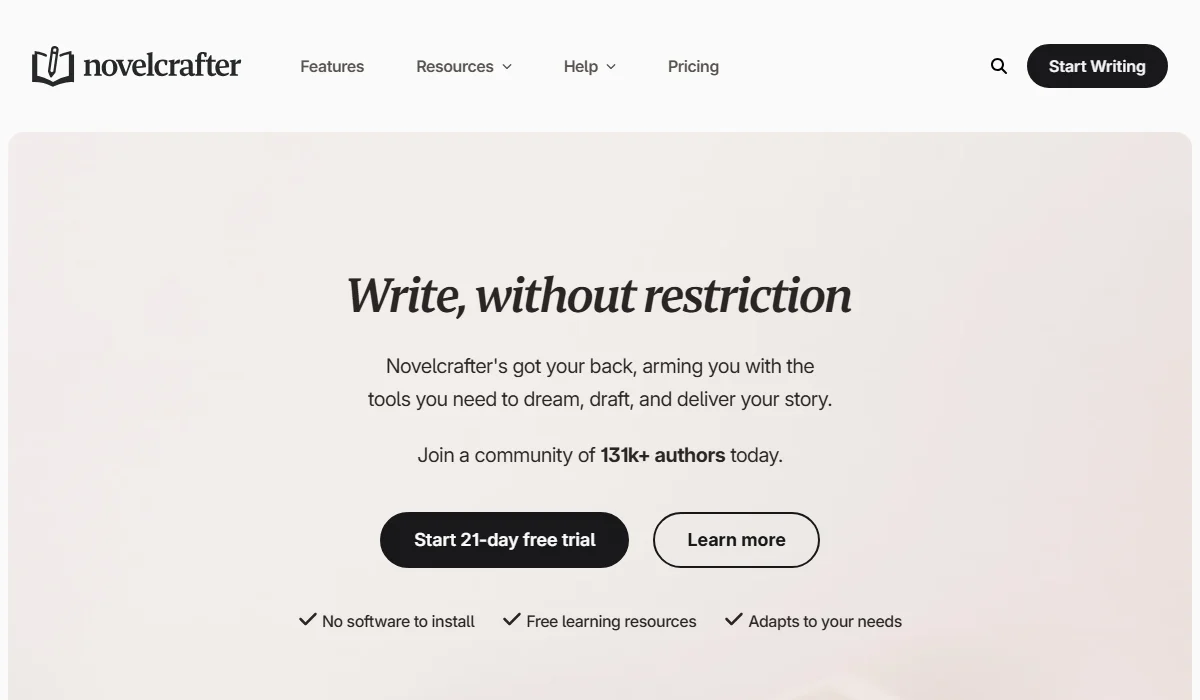
NovelCrafter offers organization via Codex and BYOK AI models.
NovelCrafter is an independent writing platform designed by writers for comprehensive story organization and planning. Its standout feature is the Codex system—a wiki-style database that automatically tracks characters, locations, and plot elements throughout your manuscript. With support for 300+ AI models through BYOK (Bring Your Own Key), it offers unmatched flexibility starting at just $50/year (approx. $4.16/month). The platform currently serves 131,000+ authors who value control and structure.
Choosing between these two powerhouses isn’t easy—they take fundamentally different approaches to AI-assisted writing. We tested both extensively, and here’s how they stack up across the features that actually matter when you’re crafting your next novel.
| Feature | Sudowrite | NovelCrafter | Winner |
| Story Bible/Codex | Basic Story Bible | Advanced Codex with auto-tracking | NovelCrafter |
| Plotting Tools | Canvas brainstorming | Grid/Matrix/Outline views | NovelCrafter |
| Prose Quality | Muse 1.5 (fiction-trained) | Depends on chosen model | Sudowrite |
| AI Customization | Limited (preset tools) | Full prompt control | NovelCrafter |
| Brainstorming | Dedicated Brainstorm feature | Workshop Chat only | Sudowrite |
| User Experience | Polished, beginner-friendly | Feature-rich but steeper learning curve | Sudowrite |
NovelCrafter’s Codex is a game-changer for consistency. Unlike Sudowrite’s static Story Bible, the Codex automatically tracks and highlights every mention of characters and locations in your text. Write “Sarah entered the café,” and the system instantly links both terms to their database entries. It features a timeline to track character evolution and a global database for series, allowing you to reuse lore across multiple books without re-entry.
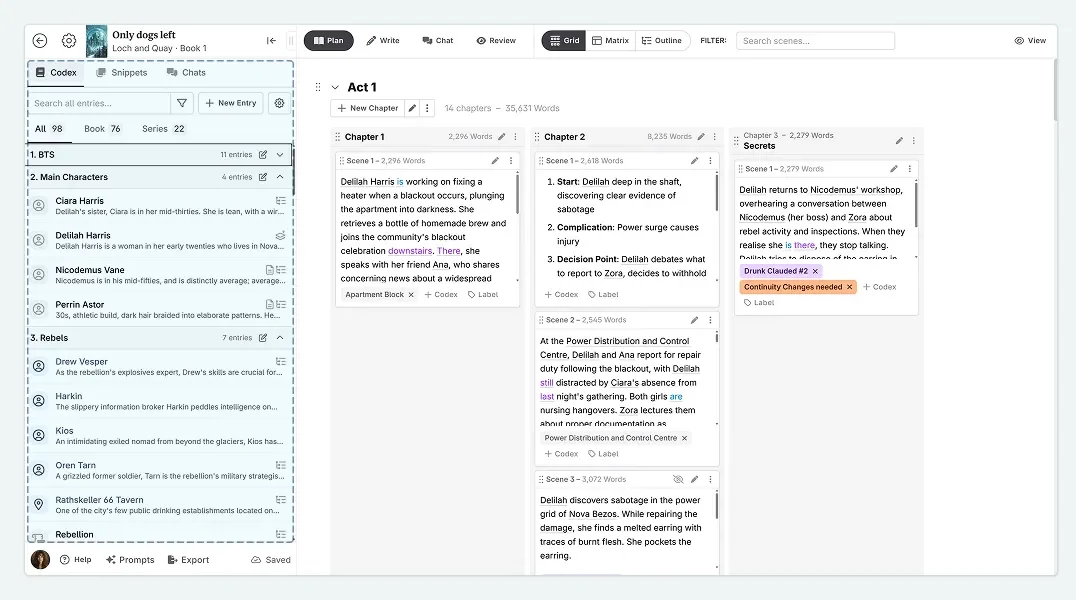
NovelCrafter’s Codex automatically tracks characters and lore.
Sudowrite’s Story Bible organizes context (characters, world-building) to feed the AI, ensuring output consistency. However, it lacks automatic tracking and visual highlighting. You must manually update changes, which is manageable for standalone novels but becomes cumbersome for complex series. Crucially, the Story Bible is not included in standard exports, forcing manual backups.
Winner: NovelCrafter
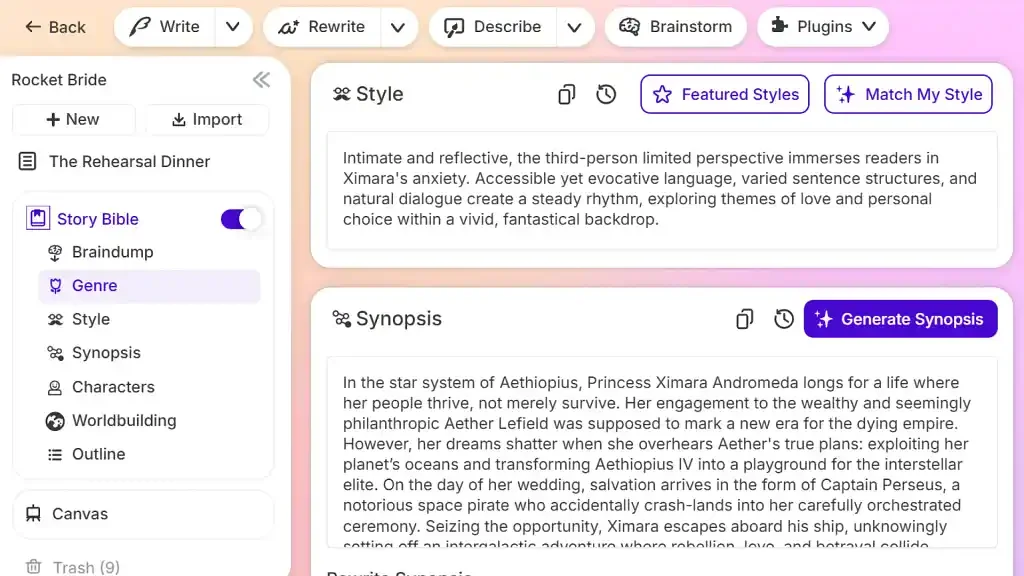
Sudowrite’s Story Bible needs manual updates for consistency.
NovelCrafter offers three synchronized views for structural mastery. The Grid View allows drag-and-drop plotting (like sticky notes); the Matrix View tracks metadata (POV, word count, status) in a spreadsheet format; and the Outline View handles hierarchy. Changes in one view instantly update the others. Plus, the Scene Archive ensures deleted content is never lost, just set aside.
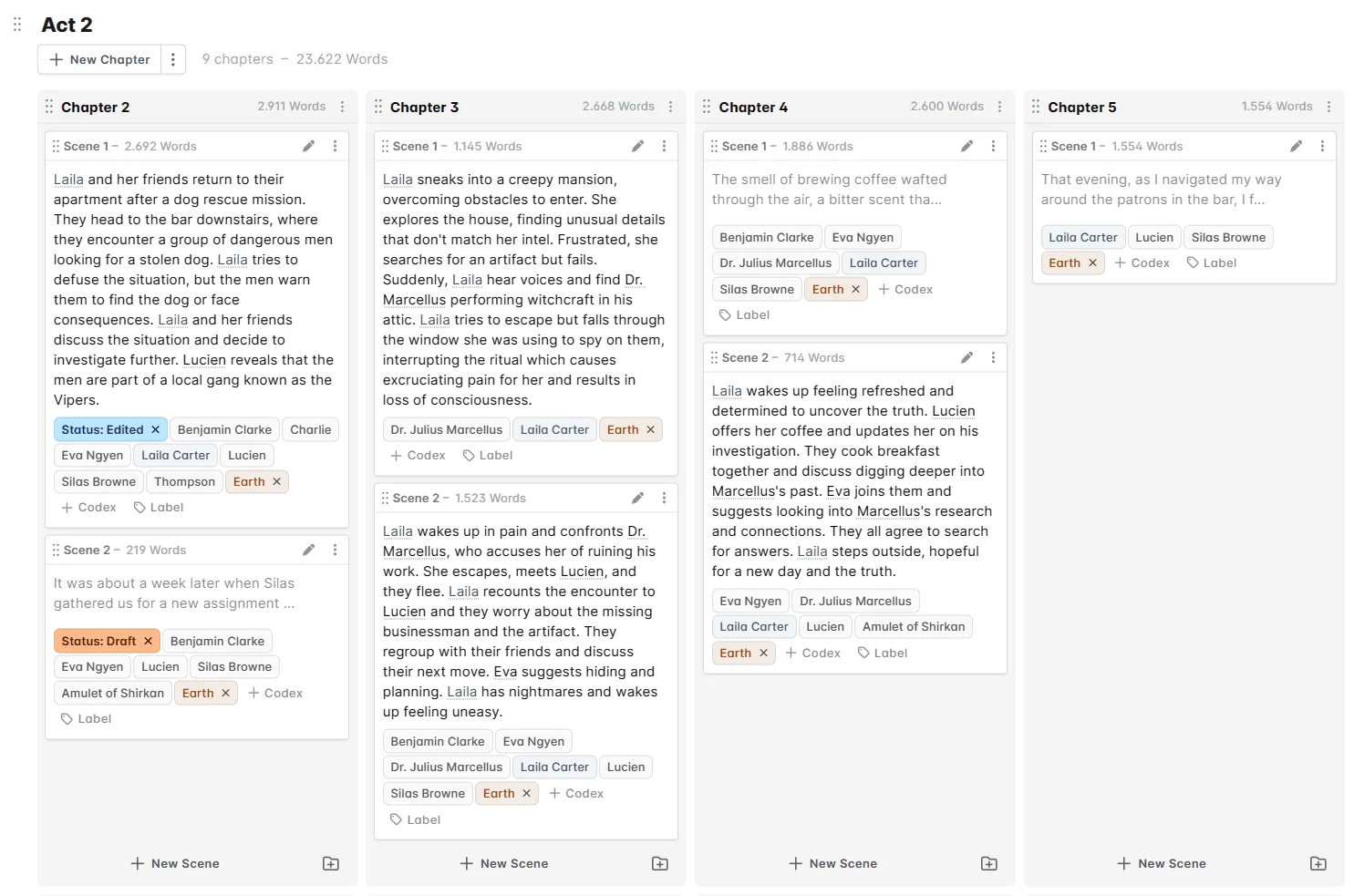
NovelCrafter features Grid, Matrix, and Outline plotting views.
Sudowrite relies on Canvas, a visual whiteboard for brainstorming and mapping relationships AI-assisted. It is excellent for “pantsers” (discovery writers) who need organic ideation. However, it lacks rigid structural tools—no scene grids, no tracking matrix, and no hierarchical outline for navigating massive manuscripts. It excels at creativity but struggles with management.
Winner: NovelCrafter
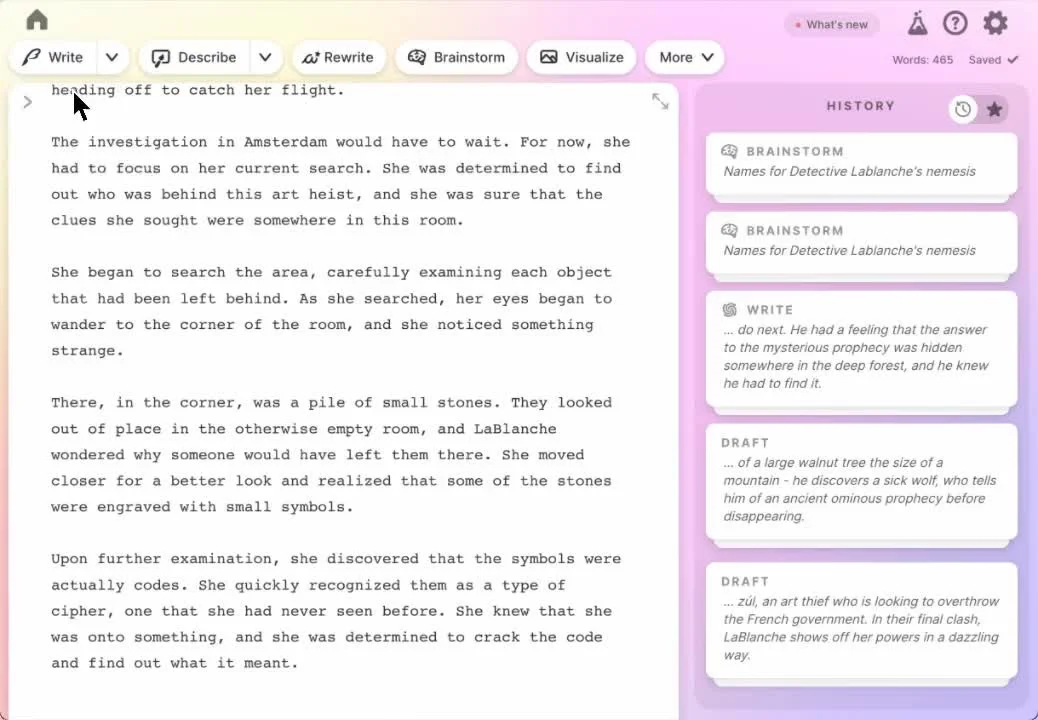
Sudowrite Canvas is visual brainstorming but lacks structure.
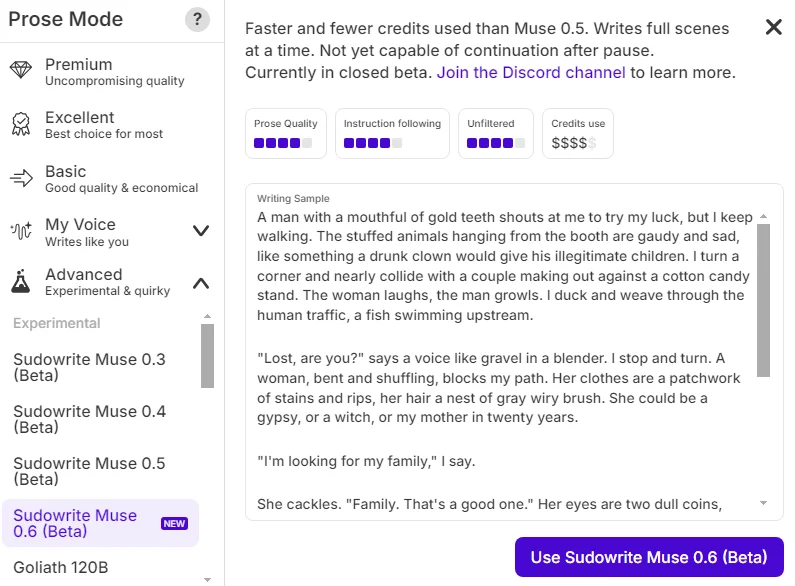
Sudowrite’s proprietary narrative models are the gold standard. Trained specifically on fiction, they understand pacing, subtext, and narrative flow better than generic models. In testing, they produced 40% longer scenes while using 20% fewer credits. The Describe tool instantly adds sensory depth (sights, smells, sounds) to any highlighted noun, while the Write feature mimics your unique voice with uncanny accuracy.
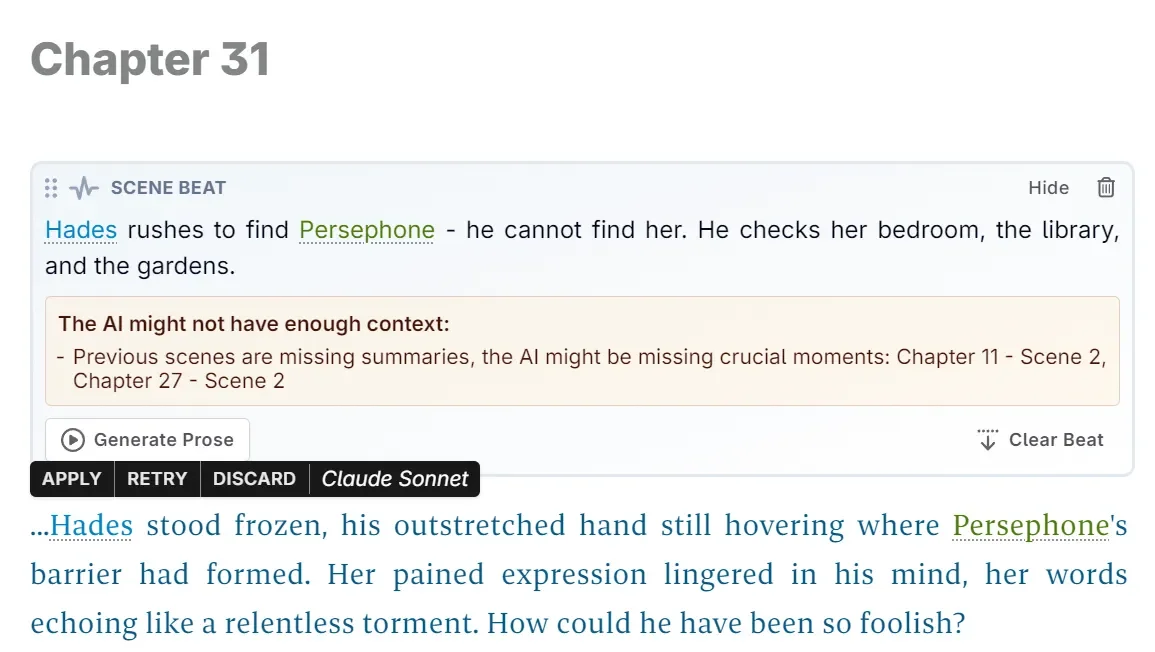
Sudowrite’s Muse models offer high-quality fiction prose and speed.
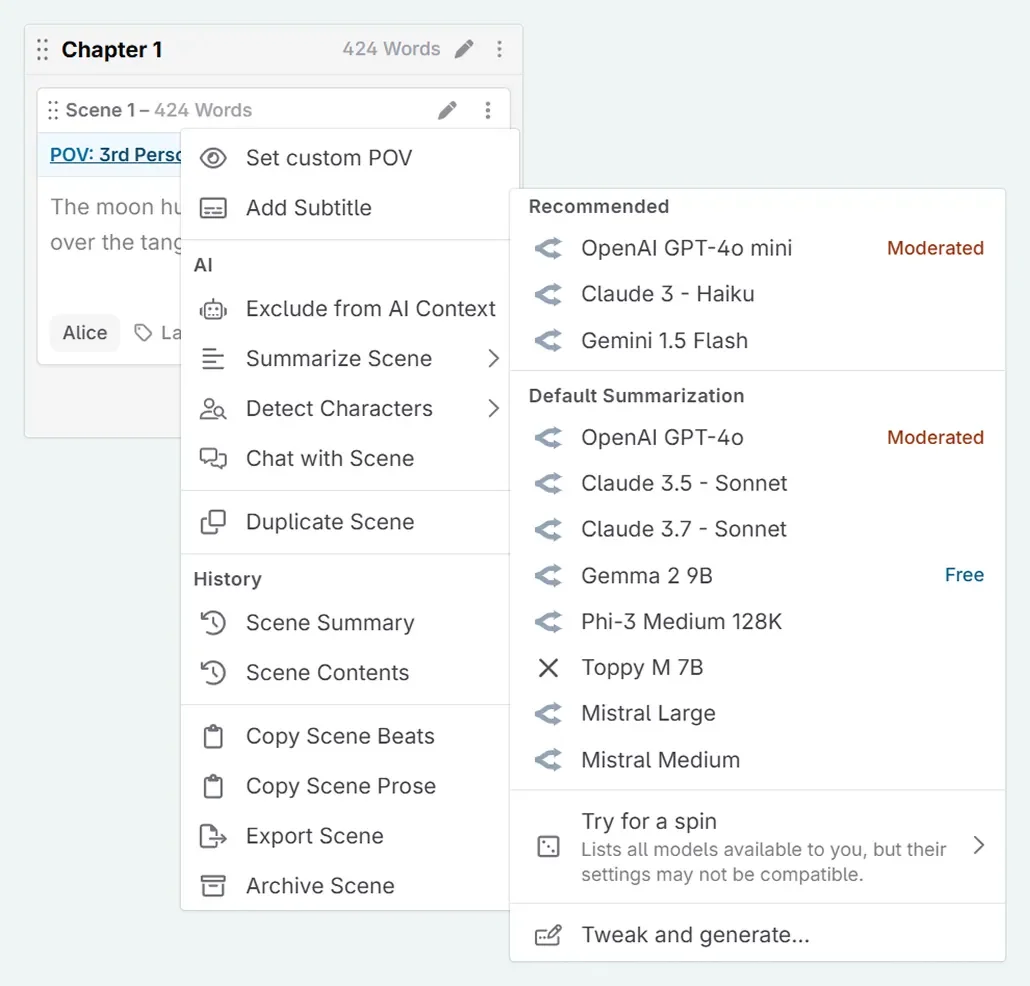
NovelCrafter uses a BYOK (Bring Your Own Key) model, connecting to GPT-4, Claude, or Gemini. While flexible—allowing you to swap models for specific tasks (e.g., Claude for dialogue)—generic models often suffer from “AIisms” (clichéd phrases like “shivers down the spine”) and wooden dialogue. You will likely spend more time editing NovelCrafter’s output compared to Sudowrite’s polished, fiction-tuned prose.
Winner: Sudowrite
NovelCrafter BYOK models are flexible, but the prose needs editing.
NovelCrafter offers granular control. Its System Prompts are modular; you can build and save specific instructions (e.g., “Deep POV, present tense, minimal dialogue tags”) and reuse them instantly. You can preview exactly what context (from the Codex) is sent to the AI and tweak parameters like temperature (creativity) per generation. It even supports Local AI (via Ollama/LM Studio) for complete privacy and offline writing.
NovelCrafter offers full control with custom prompts and local AI.
Sudowrite simplifies this with an all-in-one approach. You get access to top-tier models (Muse, Claude, etc.), but behaviors are preset. You cannot edit system prompts or tweak temperature settings. While features like “My Voice” help match style, advanced users may feel restricted by the lack of technical customization. It trades control for ease of use.
Winner: NovelCrafter
Sudowrite is all-in-one but lacks technical prompt customization.
Sudowrite’s Brainstorm tool is a dedicated ideation engine. It generates infinite lists (names, plot twists, sensory details) based on your context. The “Thumbs Up” mechanic learns your taste, refining subsequent suggestions. Combined with Canvas for visual mapping, it’s unmatched for breaking writer’s block.
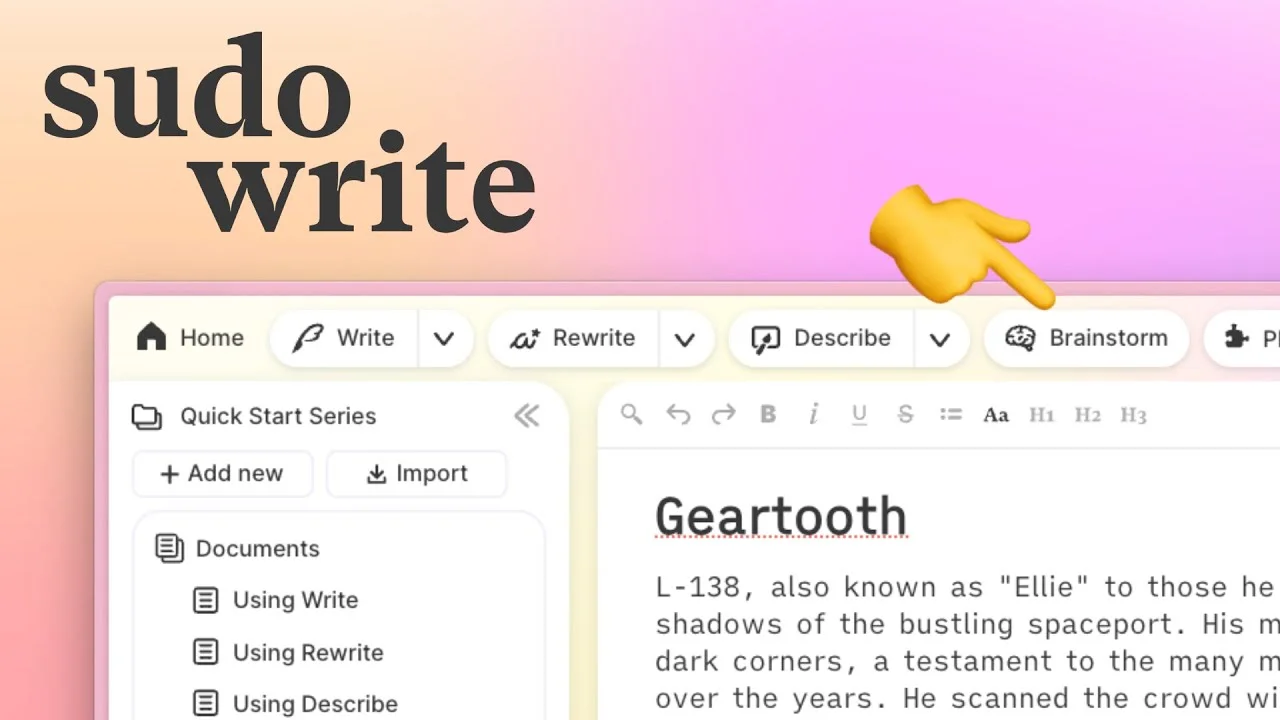
Sudowrite’s Brainstorm tool generates and refines creative ideas.
NovelCrafter relies on Global Chat (available in the Artisan tier). You converse with the AI to solve plot holes or develop characters, leveraging your Codex context. While effective for specific logic problems, it lacks the rapid-fire generation and “learning” loop of Sudowrite. It feels more like a chatbot than a creative generator.
Winner: Sudowrite
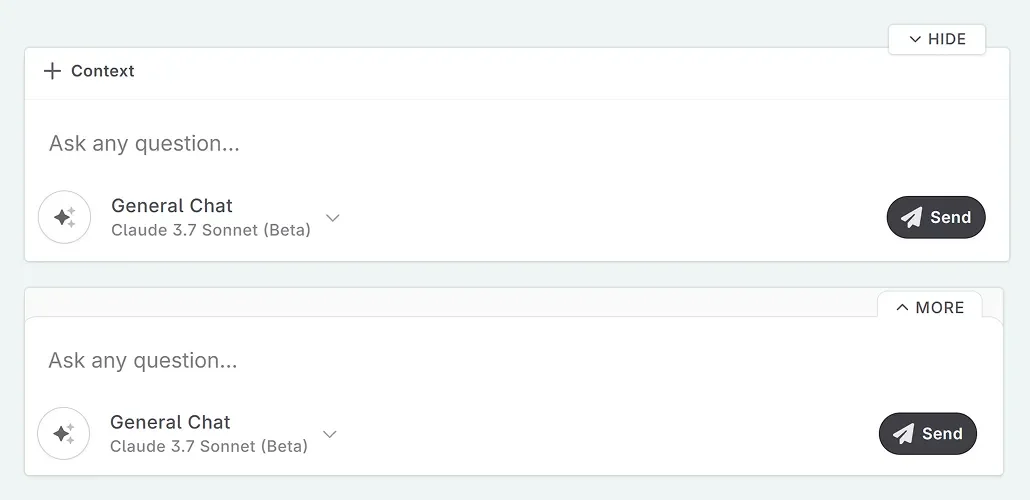
NovelCrafter’s chat solves plot logic but lacks creative flow.
Sudowrite nails the “pick up and play” experience. The interface is clean and distraction-free and requires zero technical setup—no API keys, no model configuration. Features like Dark Mode and Focus Mode keep you immersed. Recent updates have optimized speed, making it handle long docs smoothly.
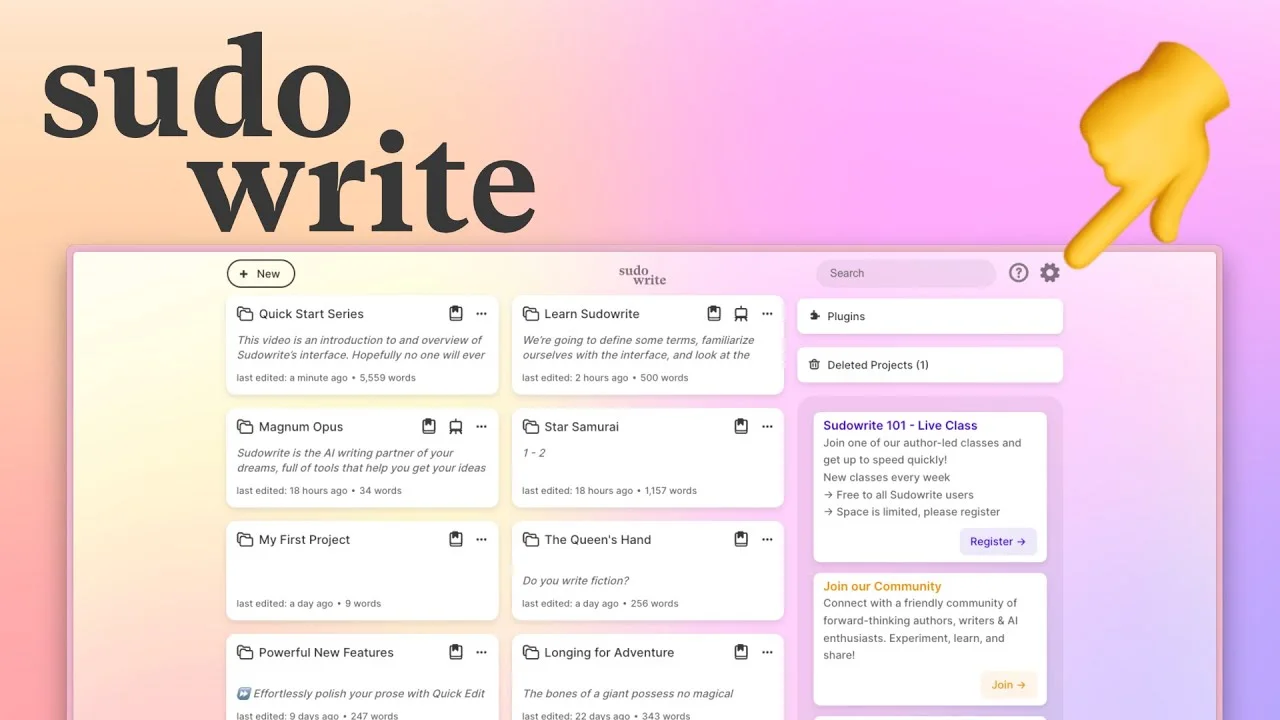
Sudowrite offers a clean, distraction-free, zero-setup interface.
NovelCrafter packs incredible power but demands more from users initially. Setting up API keys with OpenRouter or directly with OpenAI requires following multi-step guides and managing separate accounts. The interface presents many options simultaneously—Codex, planning views, split panels, custom prompts—which can overwhelm newcomers. However, this complexity enables sophisticated workflows.
Power users love the ability to have Grid view in one panel, their Codex in another, and the manuscript in a third, all updating in real-time. Once you master the learning curve, NovelCrafter becomes incredibly efficient for managing complex projects, but expect to invest several hours understanding all the features.
Winner: Sudowrite
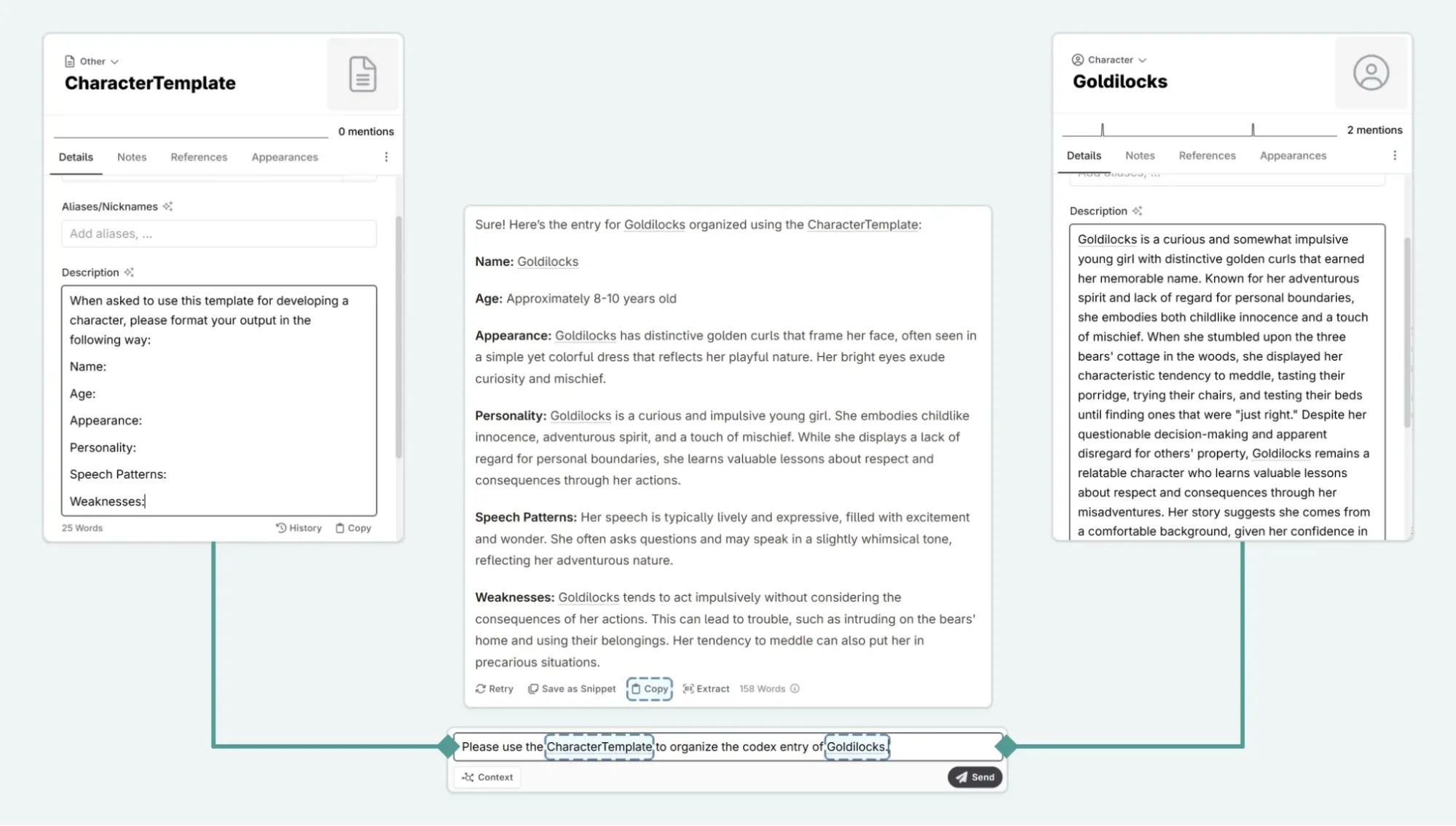
NovelCrafter offers complex power but has a steeper learning curve.
You may be interested in:
Sudowrite vs Jasper: Which AI Writing Assistant Wins in 2025?
10 Best Sudowrite Alternatives in 2025
| Sudowrite | NovelCrafter | |
|---|---|---|
| Pros | ✅ Fiction-specific Muse 1.5 AI model
✅ Superior prose quality ✅ Easy to use for beginners ✅ All-in-one (no API setup) ✅ Excellent brainstorming tools ✅ “Describe” feature for sensory details ✅ Unfiltered content generation ✅ Focus mode for distraction-free writing |
✅ Advanced Codex with auto-tracking
✅ Extremely cost-effective ($4/month) ✅ Multiple planning views (Grid/Matrix/Outline) ✅ Full prompt customization ✅ Local AI support (privacy) ✅ Built-in collaboration features ✅ Series writing with shared Codex ✅ Automatic element tracking |
| Cons | ❌ More expensive ($10-44/month)
❌ Weak organizational tools ❌ No local AI support ❌ Limited prompt customization ❌ Story Bible not in exports ❌ No collaboration features ❌ Less control over AI behavior |
❌ Steeper learning curve
❌ Requires API key setup ❌ Separate AI costs (pay-as-you-go) ❌ No proprietary fiction model ❌ Fewer guided writing features ❌ No Describe tool for sensory details ❌ Beat-by-beat generation is more manual |
| Factor | Sudowrite | NovelCrafter |
| Starting Price | $10/month (billed annually) | $50/year (approx. $4.17/month) |
| Free Trial | Yes – Free trial available, no credit card required | Yes—21 days of full access, no credit card required |
| Pricing Model | Credit-based subscription (AI generation costs included) | Annual subscription + Separate API costs (BYOK) |
| AI Included | Yes – Massive monthly credit allowances included (up to 2M) | No—AI features (BYOK) start at Hobbyist tier and require separate API key |
| Rollover Policy | Unused credits roll over for 12 months (Max plan) | N/A (You pay per generation via your API provider.) |
| Upgrade/Downgrade | Anytime | Anytime |
| Refund Policy | Free trial available (No refunds stated) | No refunds stated (Use the 21-day trial to test) |
| Best Value For | Writers who want a simple, high-capacity subscription with no technical setup. | Planners who want a dedicated story bible tool or tech-savvy writers who prefer paying for AI at cost price. |
Important Note: With NovelCrafter’s BYOK model, your total cost equals the subscription fee PLUS API usage. For moderate use (50,000-100,000 words/month), API costs typically run $5-15/month with GPT-4 or Claude, making the total cost approx. $19-35/month (Artisan tier at ~$14.50/mo + API costs). Sudowrite’s Max plan at $44/month includes a massive 2,000,000 credits, which is effectively unlimited for most authors, making it better value for heavy generation.
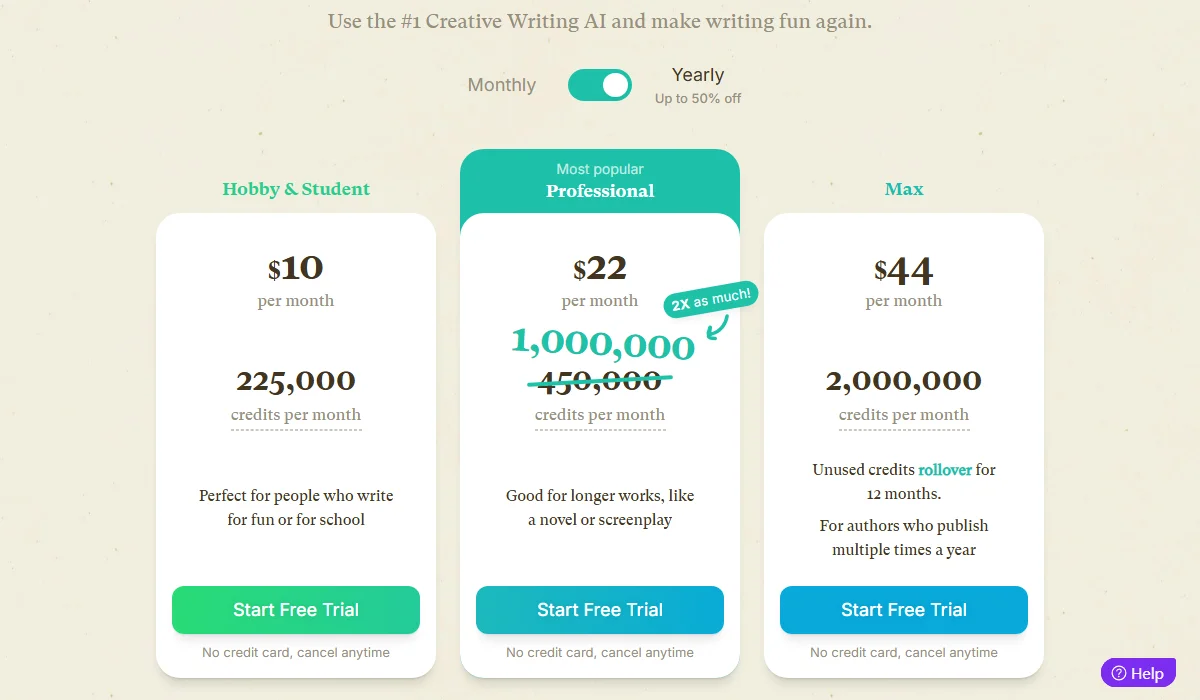
Sudowrite Pricing Plan
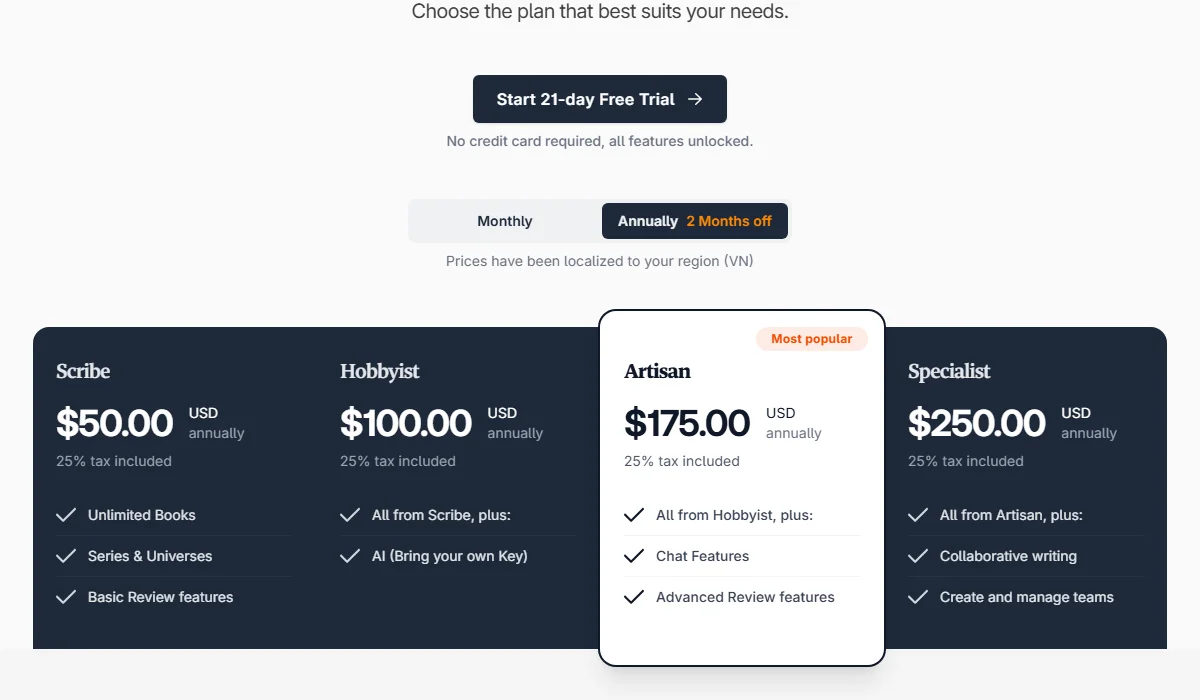
NovelCrafter Pricing Plan
Before committing to a subscription, weigh these critical trade-offs to find the right fit for your workflow:
Choose Sudowrite if you’re:
Choose NovelCrafter if you’re:
Ready to find your perfect AI writing assistant? Start with the free trials and see which workflow feels like home. Your next bestseller might be closer than you think.