You’re staring at your screen, wondering if that sentence sounds too complicated or if you’ve made grammar mistakes you can’t spot. Should you use Grammarly for its powerful error detection or Hemingway for clearer, simpler writing? We’ve tested both tools extensively to help you decide. This Grammarly vs Hemingway comparison reveals which writing assistant fits your needs—whether you’re polishing professional emails or crafting blog posts that readers actually finish.
Before diving deep into details, here’s what you need to know about the Grammarly vs Hemingway debate:
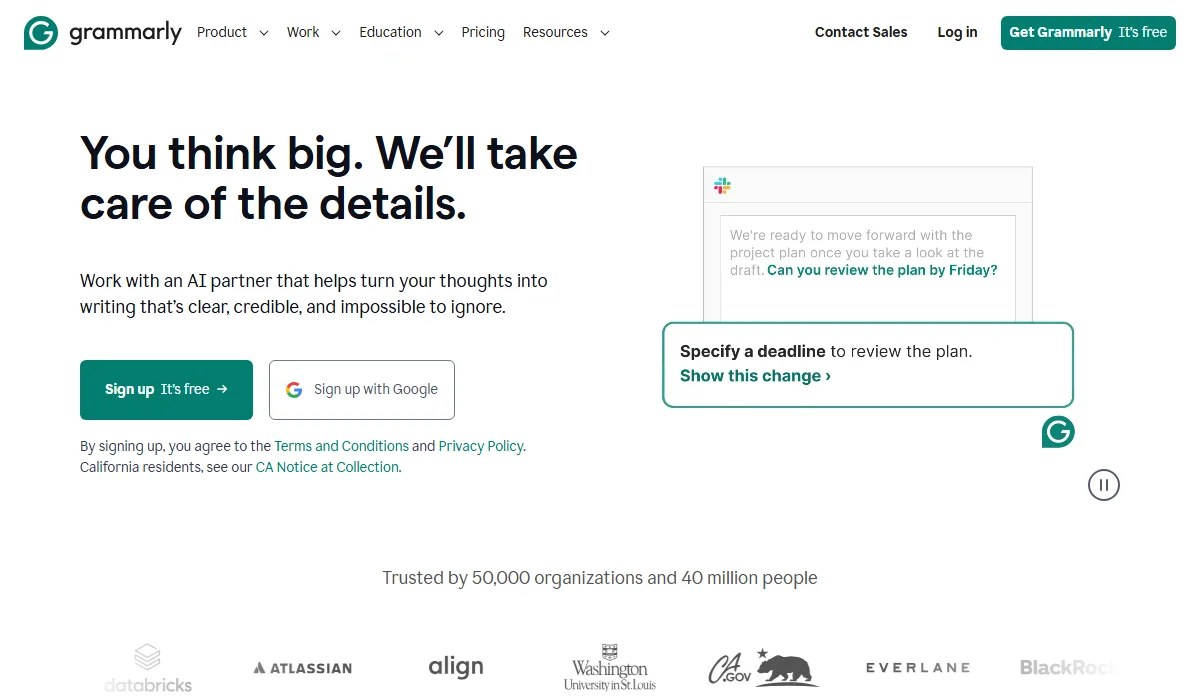
Grammarly provides AI grammar checks across platforms.
Grammarly is an AI-powered writing assistant that checks grammar, spelling, punctuation, and style across multiple platforms. It offers real-time corrections, tone adjustments, and generative AI features. The tool supports various English dialects and integrates with over 500,000 applications, making it accessible wherever you write—from Gmail to Microsoft Word to Slack.
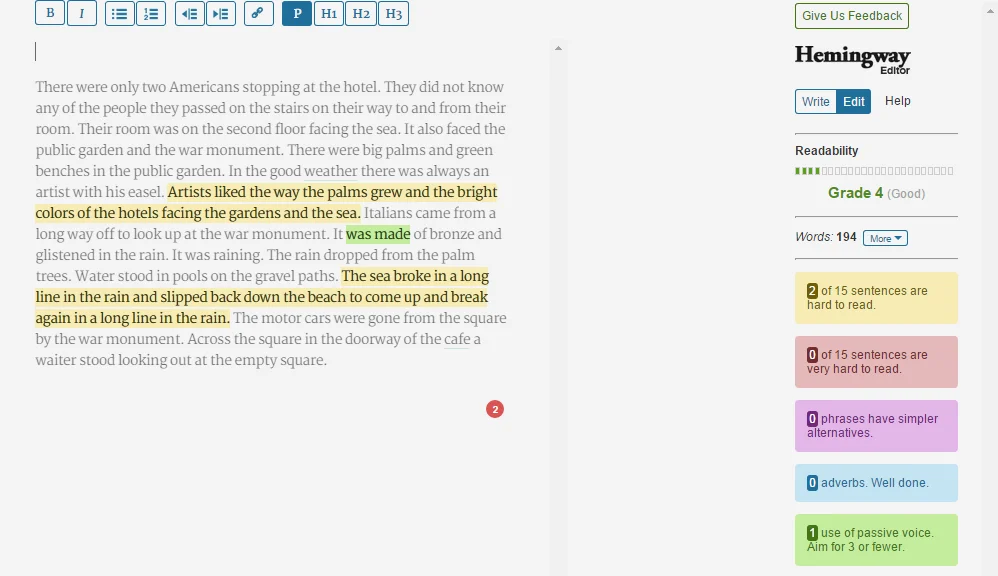
Hemingway Editor highlights text to improve readability.
Hemingway Editor is a minimalist writing tool designed to improve readability and clarity. Named after Ernest Hemingway, known for his concise and simple writing style, it highlights complex sentences, passive voice, and unnecessary adverbs using a color-coded system. The free web version requires no account, while the desktop app ($19.99) works offline. Hemingway Editor Plus adds AI-powered rewrites and advanced grammar checking with plans starting at roughly $8.33/month.
When choosing between these writing assistants, understanding their core capabilities helps you make the right decision. We’ve tested both tools across six critical features to show you exactly where each one shines. Let’s look at the comparison table first, then explore each feature in detail.
Fast Comparison Table
| Feature | Grammarly | Hemingway | Winner |
| Grammar & Spelling | Grammar checking: None (Free) | Basic (Plus only) | Grammarly |
| Readability Analysis | Grade level + engagement score | Grade level + color-coded highlights | Hemingway |
| AI Writing Tools | 2,000 prompts/month (Pro) | 5,000 credits (Plus) | Grammarly |
| Plagiarism Detection | Yes (Pro plan) | No | Grammarly |
| Platform Integration | 500,000+ apps | WordPress, Medium only | Grammarly |
| Customization | Goal setting + brand voice | Write mode only | Grammarly |
Grammarly identifies over 250 types of grammar, spelling, and punctuation errors in real-time. The tool catches everything from comma splices to subject-verb agreement issues that most writers miss. It works across American, British, Canadian, Australian, and Indian English dialects, ensuring your writing matches your target audience’s conventions.
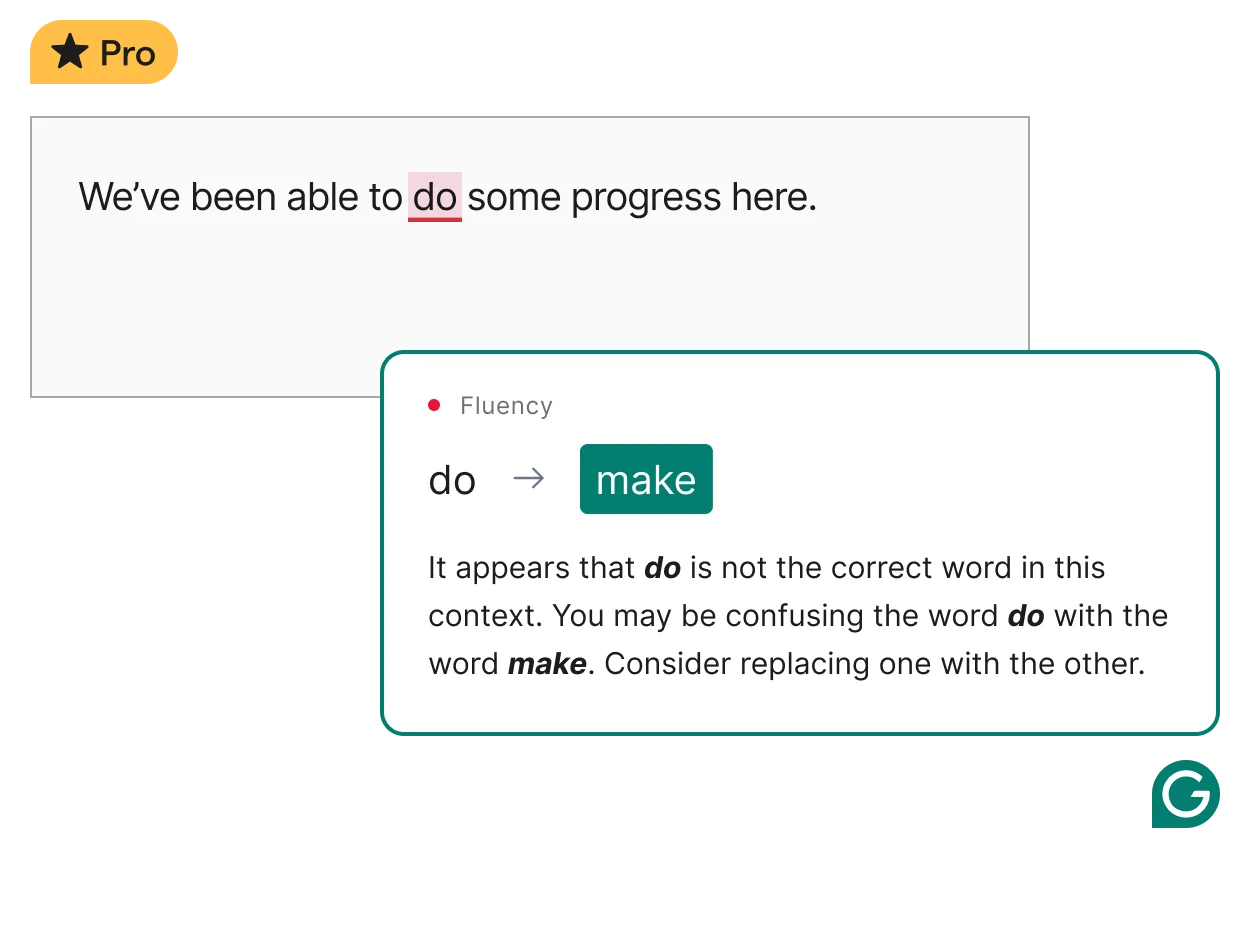
Grammarly detects 250+ grammar and punctuation errors.
Hemingway takes a different approach—the free version doesn’t check grammar at all. The Editor Plus subscription ($25/month) adds grammar checking, but it’s less comprehensive than Grammarly. Hemingway’s strength lies in sentence structure, not error detection. If you need reliable grammar assistance, Grammarly clearly outperforms Hemingway in this category.
Winner: Grammarly
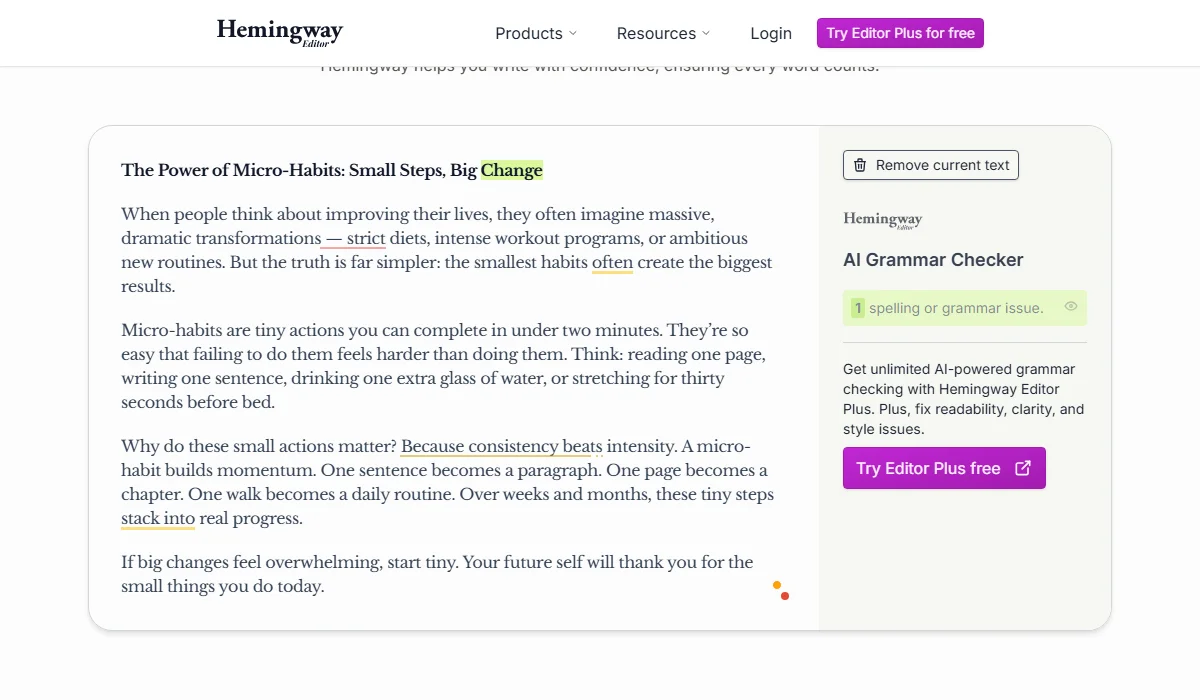
Hemingway Editor focuses on structure over grammar checks.
Hemingway Editor was built specifically to improve readability, and it shows. The tool uses a five-color system to highlight different issues: red for very complex sentences, yellow for moderately complex ones, purple for simpler word alternatives, blue for adverbs, and green for passive voice. This visual feedback makes it instantly clear where your writing becomes difficult to follow.
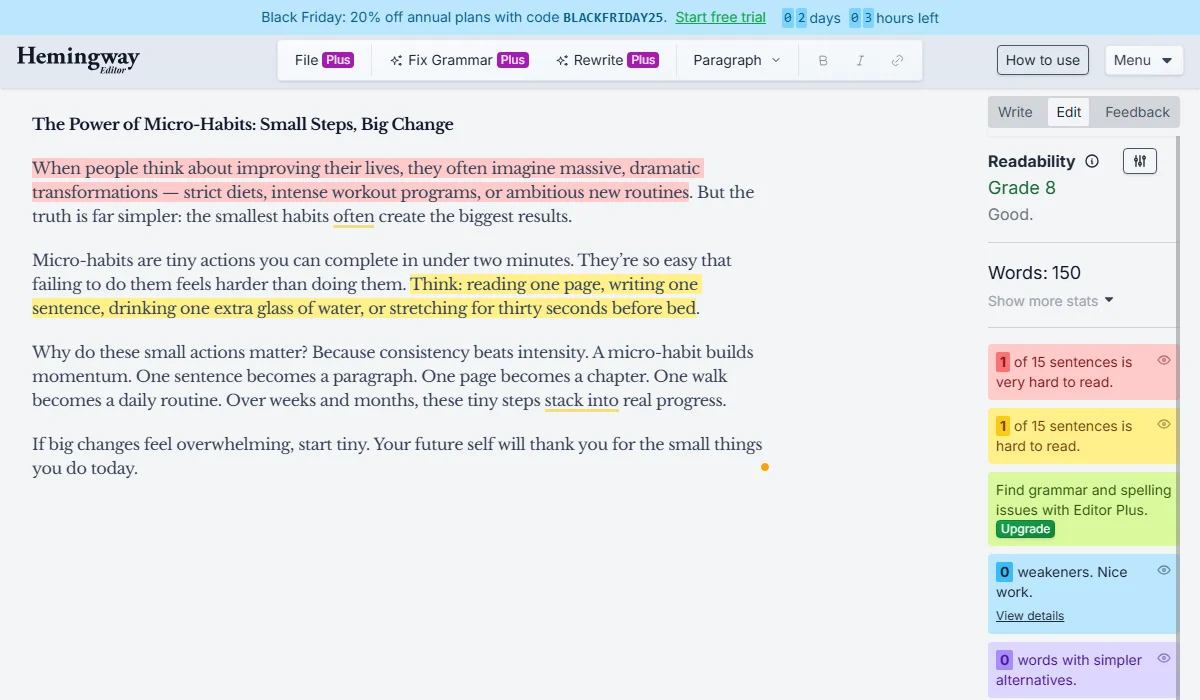
Hemingway Editor uses color codes to fix readability.
While Grammarly offers readability scoring and grade-level estimates, Hemingway provides more actionable feedback for simplifying prose. Hemingway tells you exactly which sentences are too dense and suggests concrete ways to fix them. For writers focused on clarity—bloggers, content creators, and students—Hemingway’s readability features deliver better results than Grammarly’s style suggestions.
Winner: Hemingway
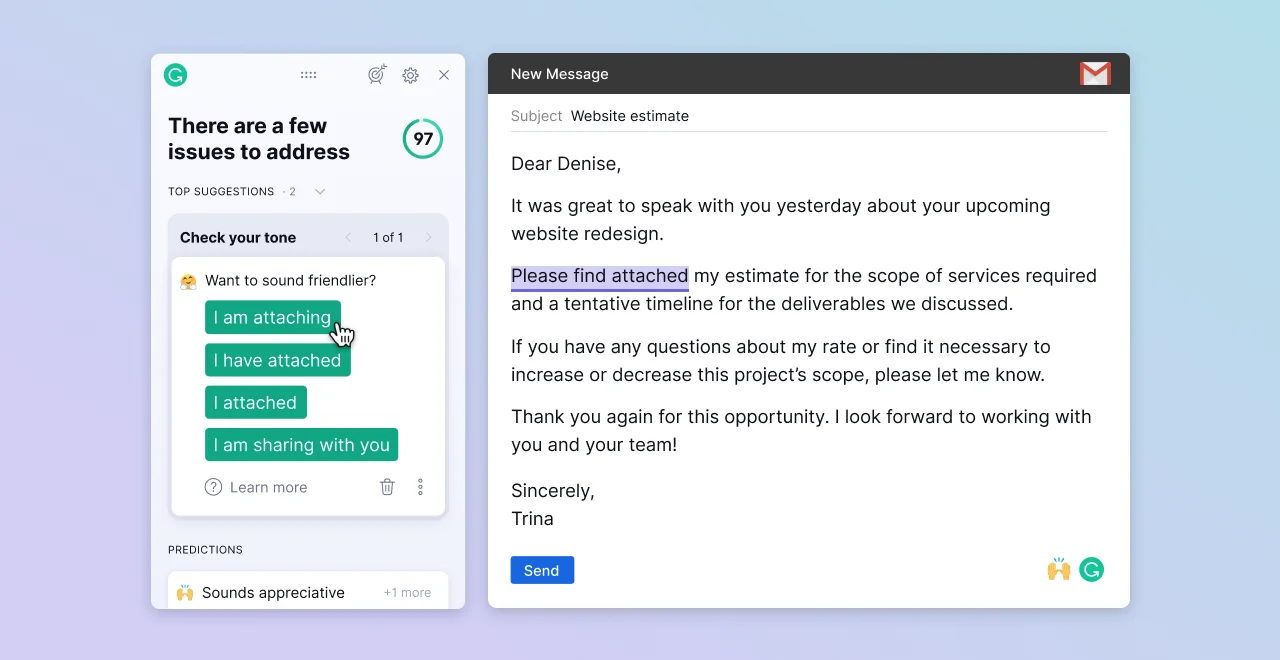
Hemingway provides actionable feedback for clarity.
Grammarly’s AI writing features have expanded significantly in 2025. The Pro plan includes 2,000 AI prompts per month for drafting content, rewriting sentences, and adjusting tone. You can generate entire paragraphs, transform casual text into professional language, or make technical writing more accessible. The AI understands context and maintains your intended meaning while improving clarity.
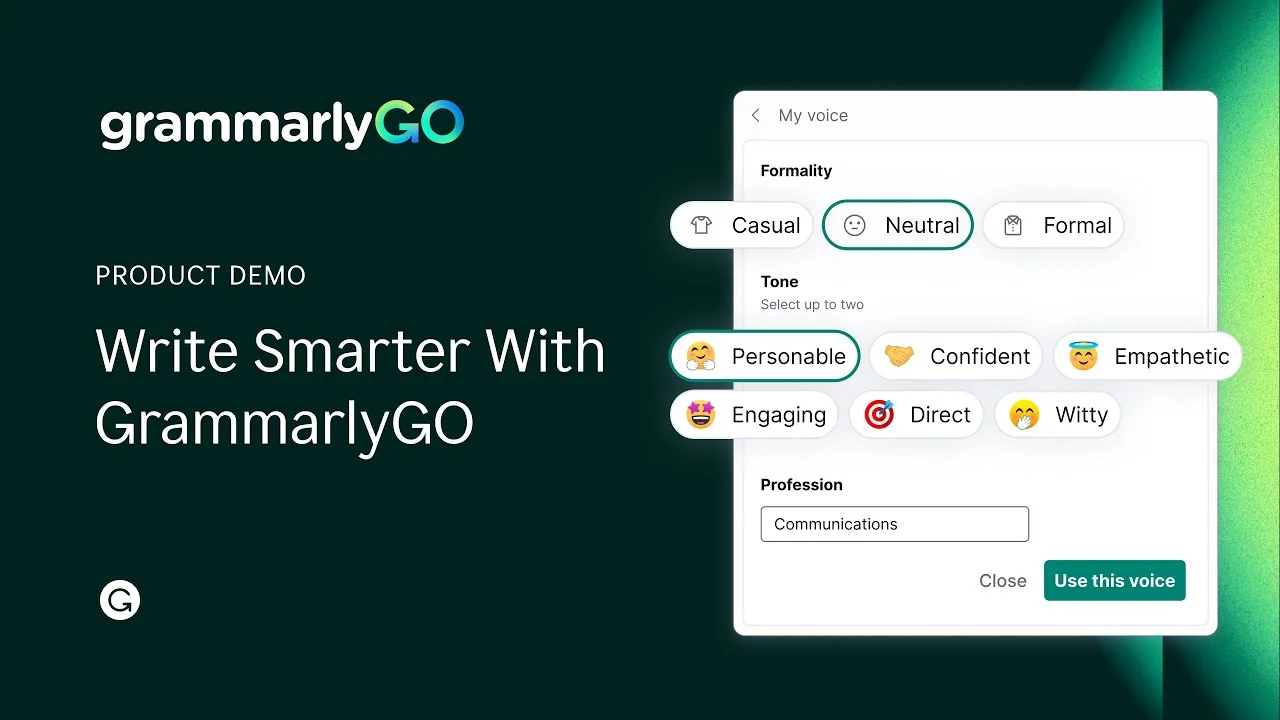
Grammarly uses AI to draft, rewrite, and adjust tone.
Hemingway Editor Plus offers tiered plans with 5,000 or 10,000 AI sentences per month for rewrites and tone matching. However, these credits focus narrowly on simplifying wordy sentences and converting passive voice. Grammarly’s generative AI handles broader writing tasks—from brainstorming to complete rewrites. For writers who want AI assistance beyond basic edits, Grammarly provides more versatile tools.
Winner: Grammarly
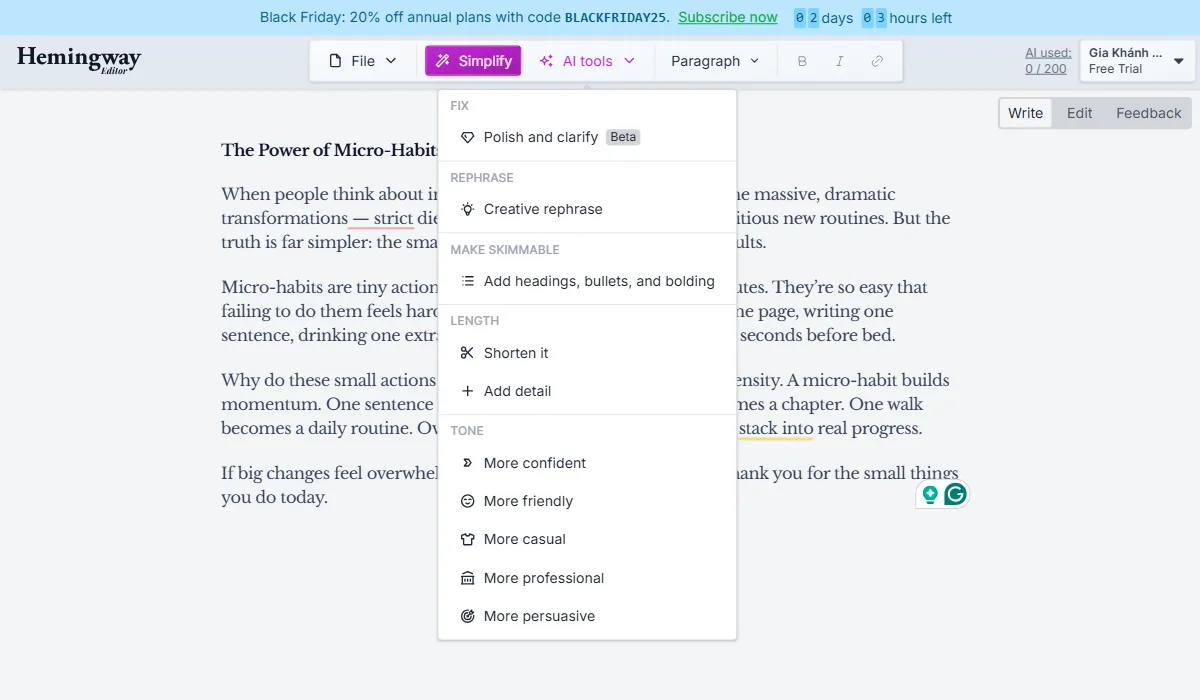
Hemingway Editor Plus AI focuses on sentence rewrites.
Grammarly Pro includes plagiarism detection that scans your text against billions of web pages and academic databases. This feature is essential for students, academics, and content creators who need to verify originality. The tool highlights matching content and provides source links, helping you properly cite references or rephrase problematic sections.
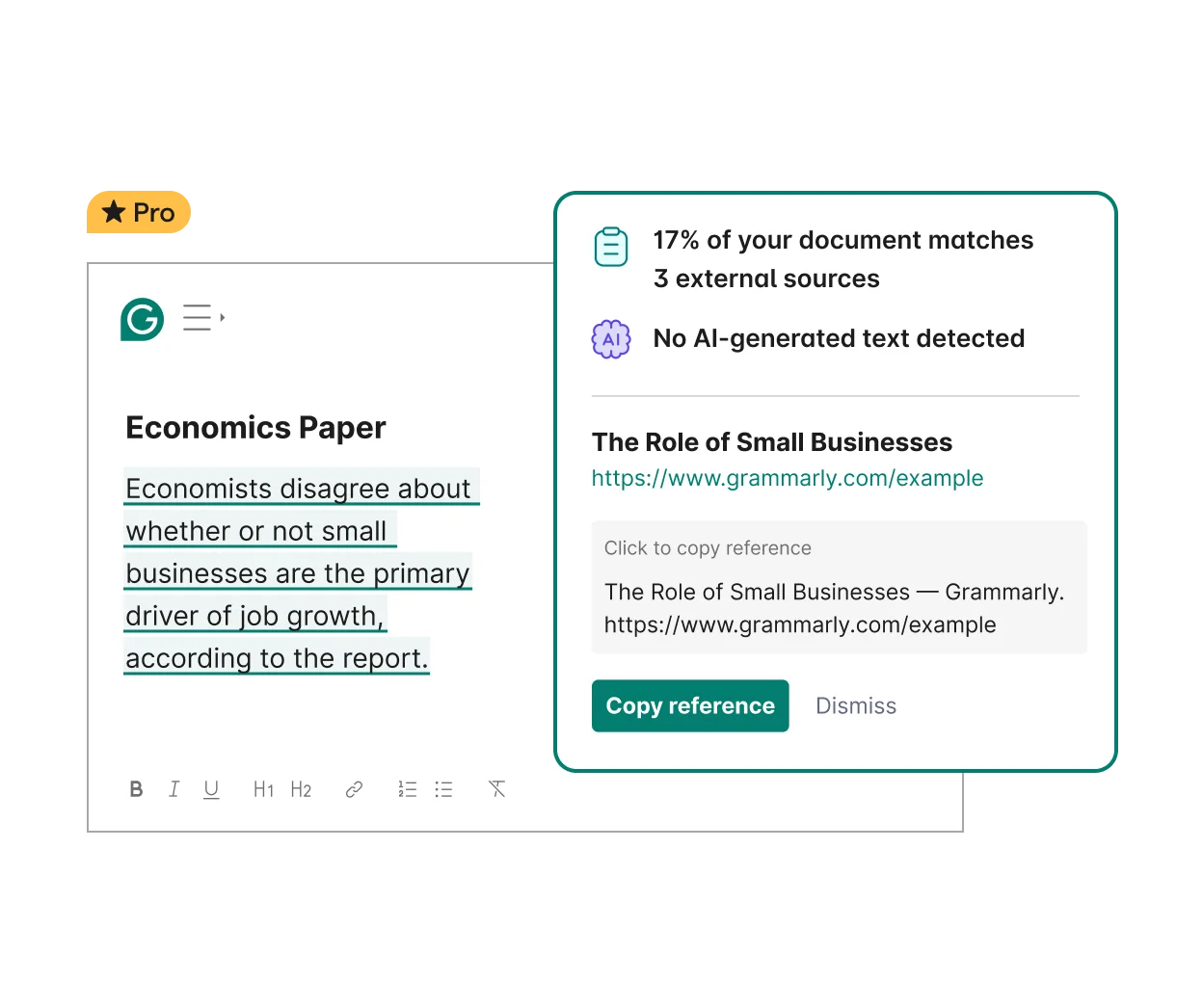
Grammarly Pro scans text to detect plagiarism.
Hemingway doesn’t offer plagiarism detection at any pricing tier. This limitation makes it unsuitable as a standalone tool for academic writing or professional content where originality matters. If plagiarism checking is part of your workflow, Grammarly is the only viable option between these two assistants.
Winner: Grammarly
Grammarly works across more than 500,000 applications through browser extensions (Chrome, Edge, Safari, Firefox), desktop apps, and mobile keyboards. It integrates seamlessly with Gmail, Google Docs, Microsoft Word, Slack, LinkedIn, Asana, and virtually every text field you encounter online. This ubiquity means your writing gets checked regardless of where you’re working.
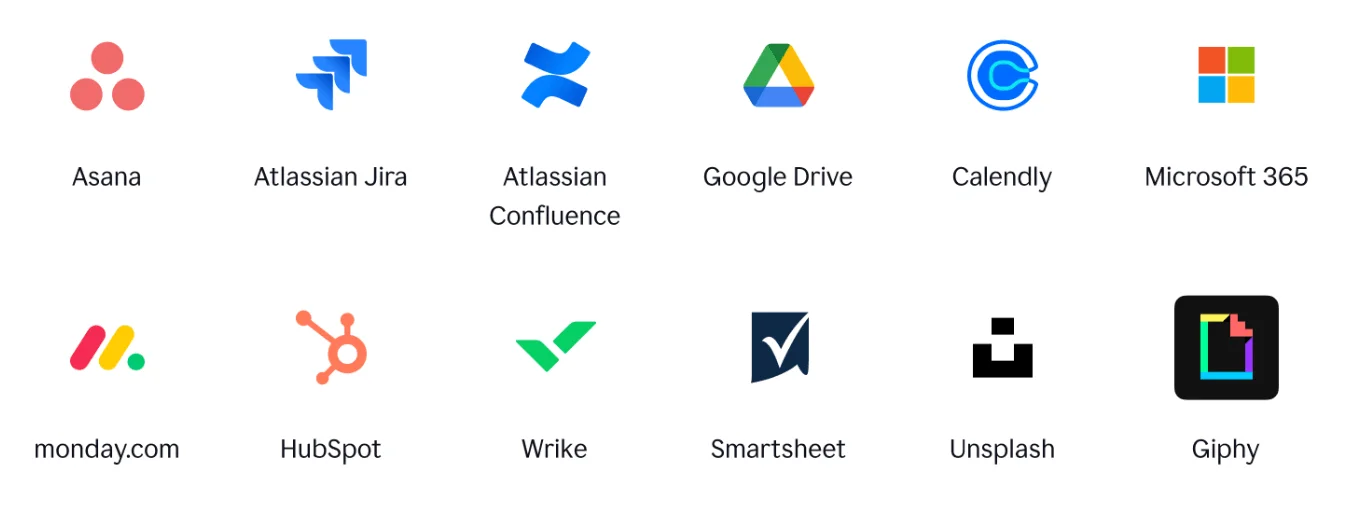
Grammarly integrates with over 500,000 applications.
Hemingway Editor works as a standalone app requiring copy-paste, though it allows you to publish directly to WordPress and Medium. The desktop app works offline, which is useful for distraction-free writing, but you lose the convenience of real-time editing in your primary workspace. For writers who need assistance across multiple platforms, Grammarly’s extensive integration network provides significantly more value.
Winner: Grammarly
Grammarly lets you set specific goals for each document: audience (general, knowledgeable, expert), formality (casual, neutral, formal), domain (academic, business, creative), and intent (inform, describe, convince, tell a story). The tool adjusts its suggestions based on these parameters, making recommendations more relevant to your actual writing purpose.
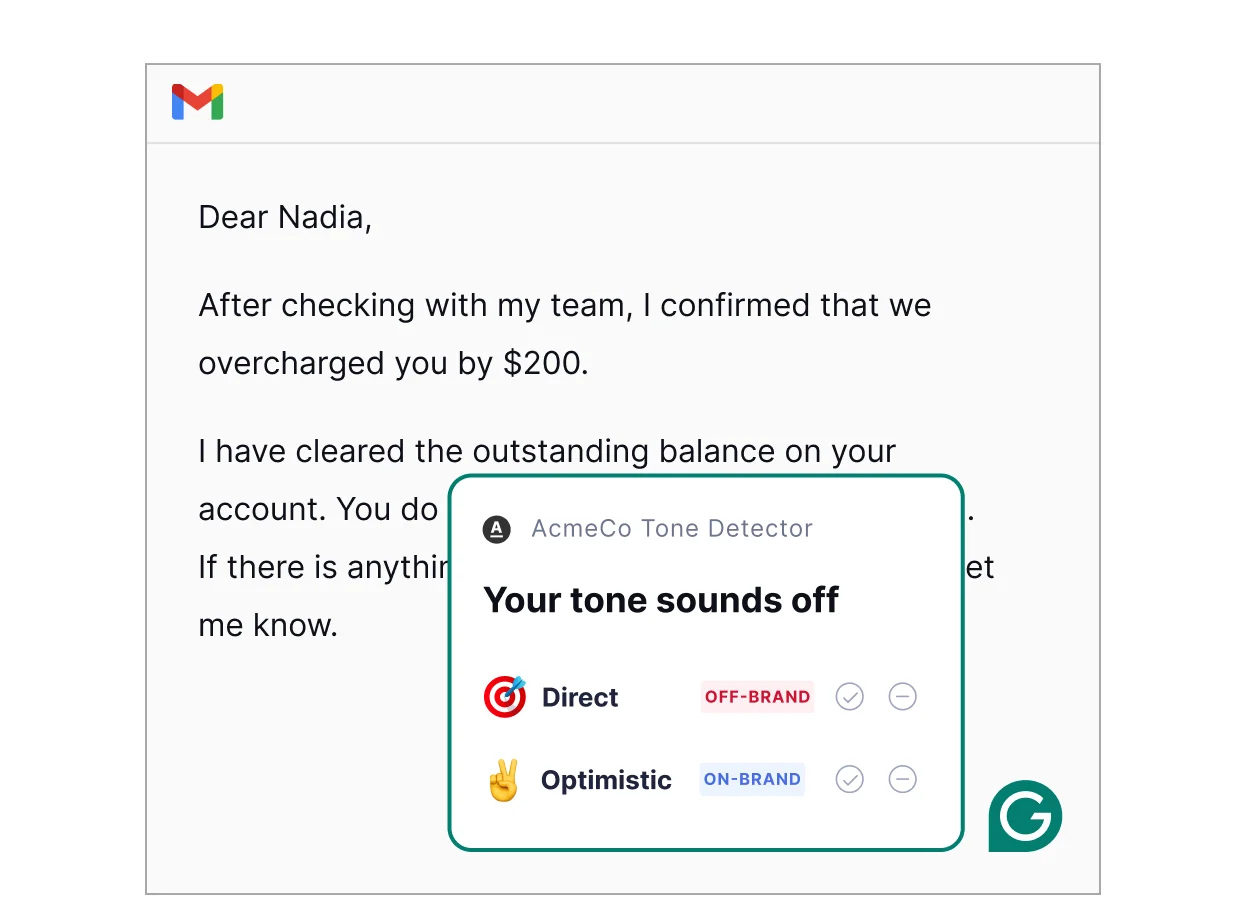
Grammarly adjusts suggestions based on writing goals.
Hemingway offers minimal customization—mainly a “Write Mode” that disables highlighting so you can draft without distraction. While this simplicity appeals to some writers, Grammarly’s goal-setting feature helps you achieve better results for different writing contexts. Whether you’re crafting a formal business proposal or a conversational blog post, Grammarly adapts its feedback accordingly.
Winner: Grammarly
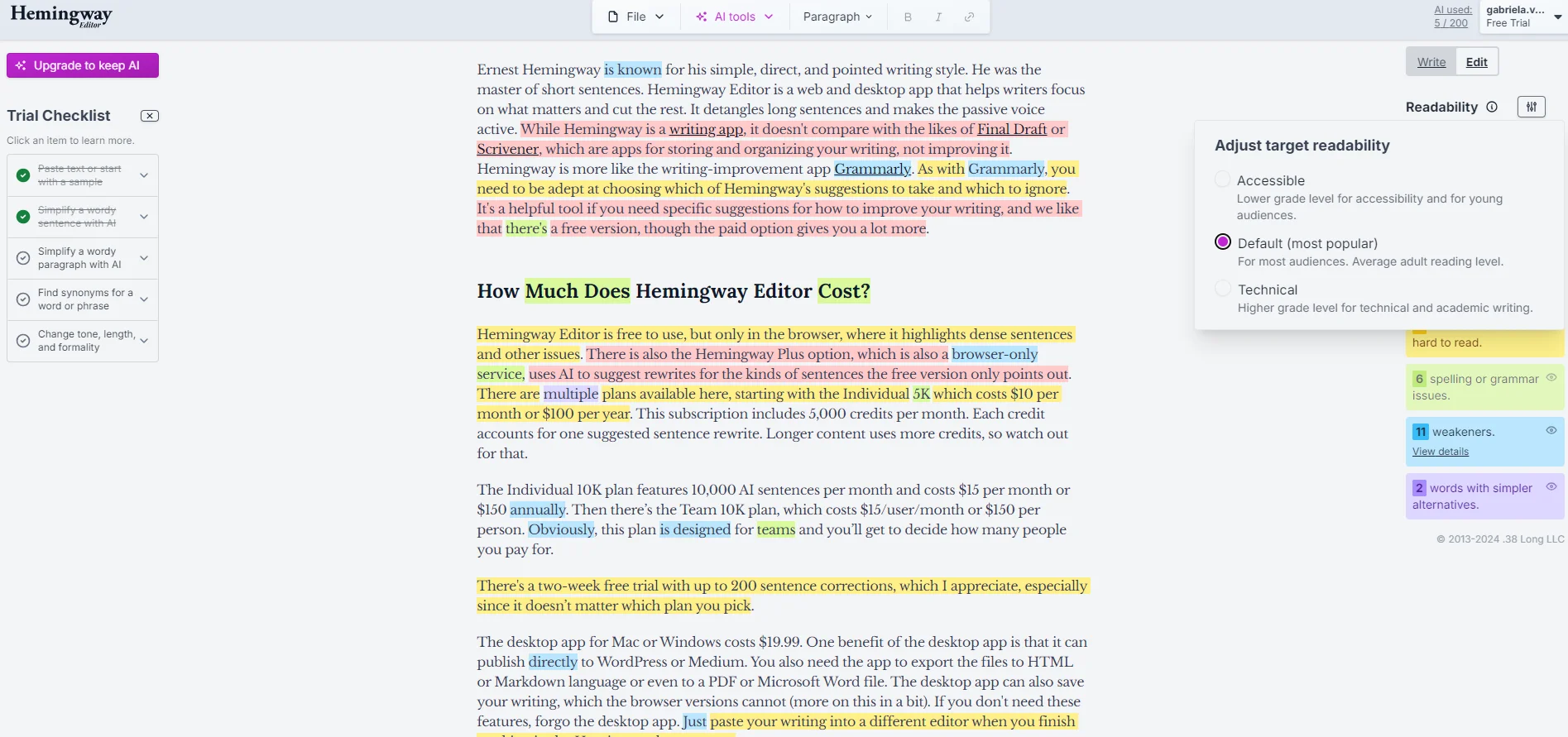
Hemingway provides a distraction-free Write Mode.
You may be interested in:
Grammarly vs LanguageTool: Which Grammar Checker Wins in 2025?
10 Best Grammarly Alternatives in 2025
| Grammarly | Hemingway | |
|---|---|---|
| Pros | ✅ Comprehensive grammar checking (250+ error types)
✅ Works across 500,000+ platforms seamlessly ✅ Plagiarism detection included (Pro plan) ✅ Advanced AI writing and rewriting tools ✅ Supports English with dialect options ✅ Customizable writing goals and brand voice |
✅ Excellent readability analysis with visual highlighting
✅ Free web version requires no account ✅ One-time payment option ($19.99 desktop app) ✅ Works offline (desktop version) ✅ Simple, distraction-free interface ✅ Lower price point than Grammarly Pro |
| Cons | ❌ Premium features require $12–$30/month subscription
❌ Requires an internet connection to function ❌ Can be overwhelming for casual writers ❌ No offline functionality (free/web) |
❌ No grammar checking in the free version
❌Limited to English only ❌No plagiarism detection available ❌Minimal platform integrations (WordPress, Medium only) ❌Less effective for long-form content editing ❌No customization beyond Write Mode |
| Aspect | Grammarly | Hemingway |
| Free Plan | Yes – Basic grammar, tone detection, 100 AI prompts | Yes – Web editor with readability features |
| Free Trial | 7-day free trial (Pro) | Free trial available for Plus plans |
| Credit Card Required | Yes, for paid plans/trials. | Yes, for the Plus trial |
| Pro/Plus Monthly | $30/month (billed monthly) | Starting at ~$10/month (Estimated based on annual tiers) |
| Pro/Plus Annual | $144/year ($12/month) | $80/year (5K Plan) or $120/year (10K Plan) |
| One-Time Purchase | Not available | $19.99 for desktop app (No AI features) |
| Student Discount | Available for Educational Institutions | No specific student tier |
| Refund Policy | 30-day money-back guarantee (check terms) | 30-day money-back guarantee |
Key Insight: Hemingway offers better value for budget-conscious writers with its $19.99 one-time desktop app purchase. However, Grammarly provides more comprehensive features that justify the higher subscription cost for professional users.
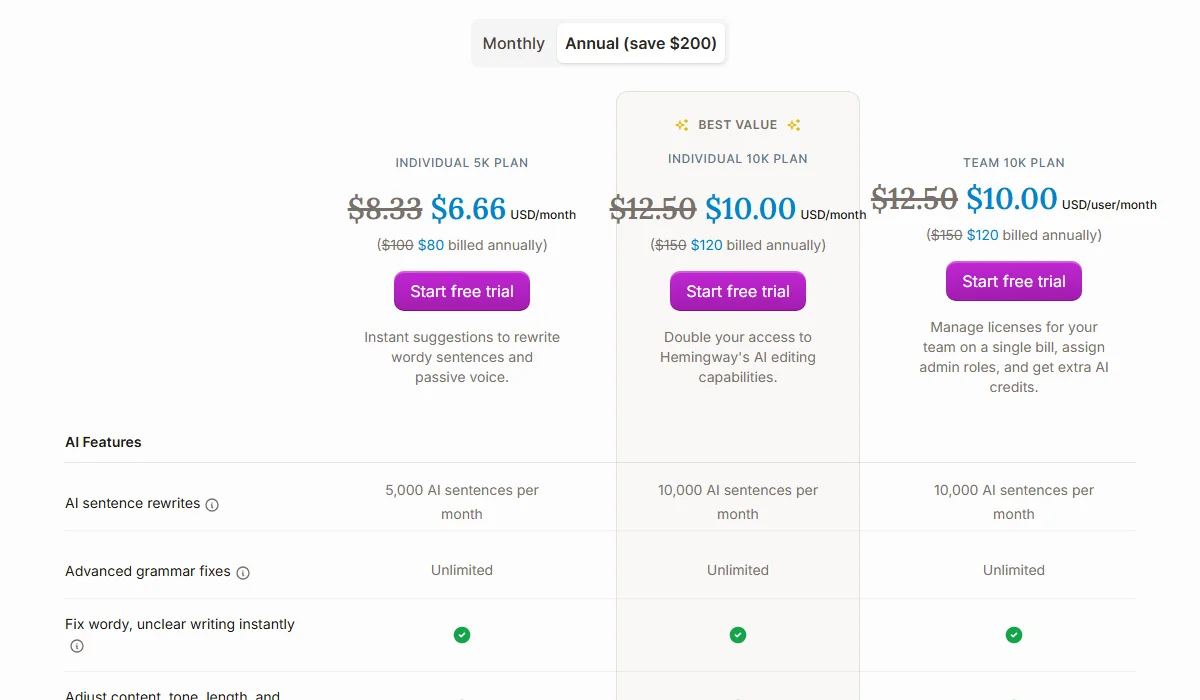
Hemingway Pricing Plan
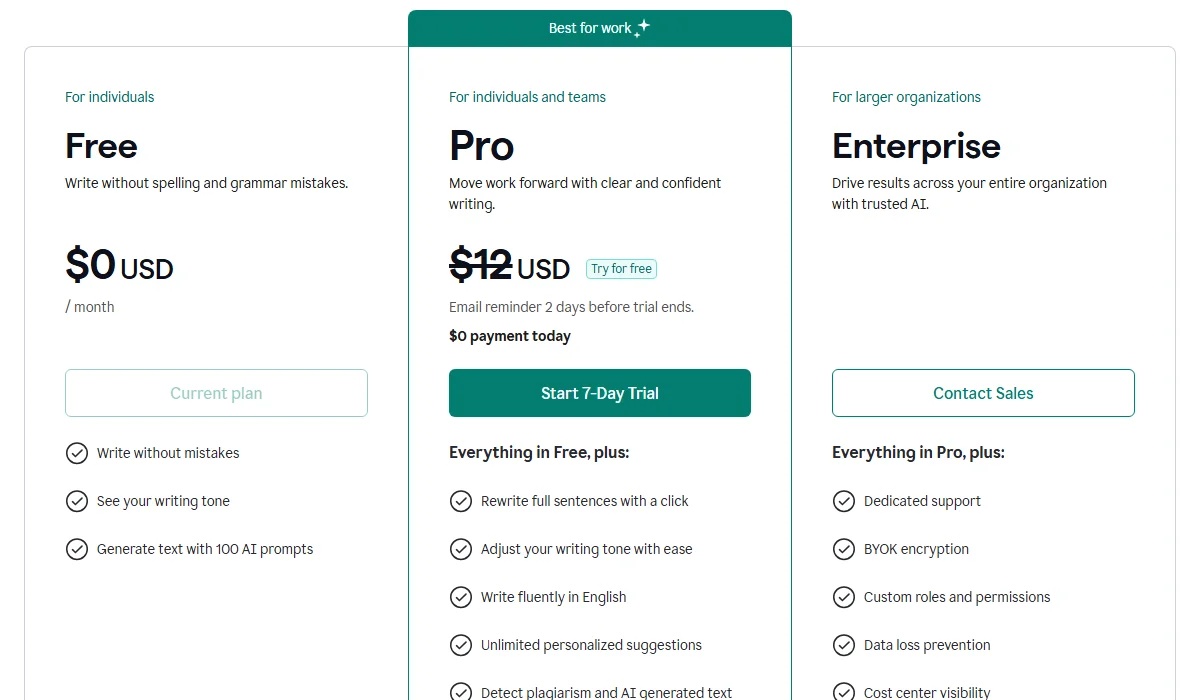
Grammarly Pricing Plan
Before committing to a paid plan, evaluate these four critical factors to ensure the tool matches your specific workflow:
You may be interested in:
Grammarly vs ProWritingAid: Which is better for proofreading in 2025?
Wordtune vs Grammarly (2025): Which Is The Best AI Writing Tool?
Choose Grammarly if you’re:
Choose Hemingway if you’re:
Ready to improve your writing? Try both tools’ free versions to see which interface and feedback style works best for you. Your writing goals and workflow will ultimately determine the winner in this Grammarly vs Hemingway comparison.
You may be interested in:
Copy AI vs Grammarly: Which is best for an AI Writing Tool?
editGPT vs Grammarly: Which is the Best AI Proofreading Tool?