You’re staring at a blank screen, deadline looming, wondering if you need a grammar guru or a creative content partner. Should you trust Grammarly to polish every comma or let Copilot draft that entire email for you? We’ve tested both tools extensively to help you make the right choice. This Grammarly vs Copilot comparison reveals which AI writing assistant truly deserves a spot in your workflow—and why you might actually need both.
Before diving deep into features and pricing, here’s what you need to know about the Grammarly vs Copilot debate:
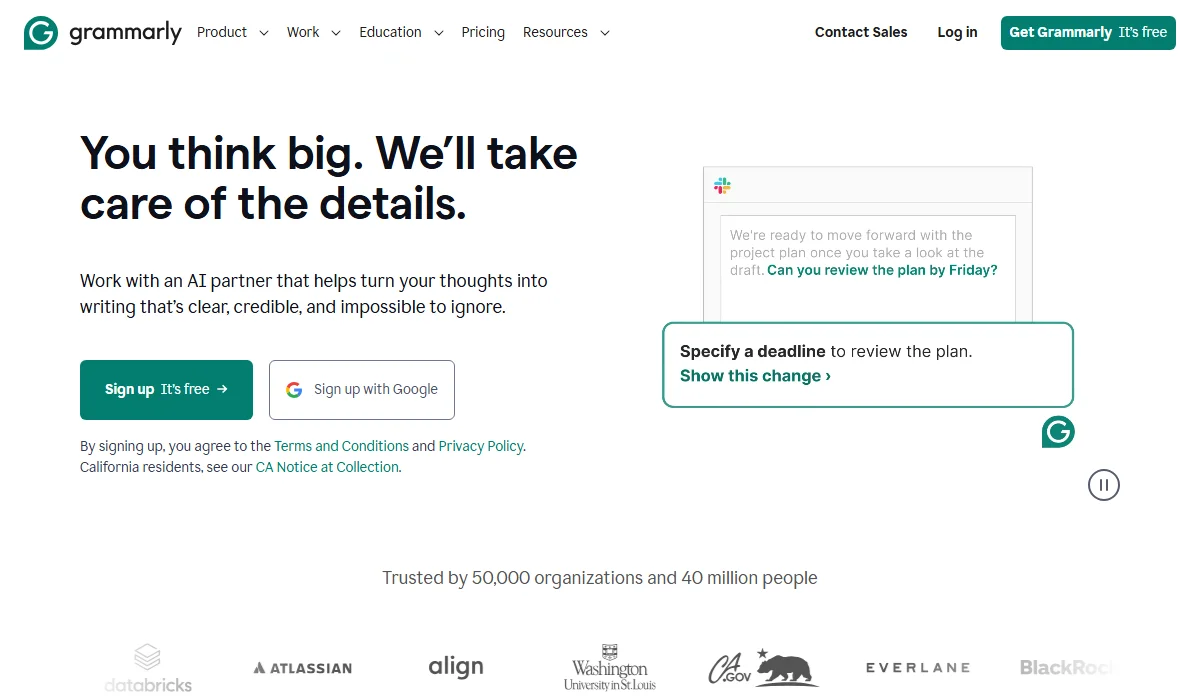
Grammarly is an AI writing assistant for error-free content.
Grammarly is an AI-powered writing assistant founded in 2009 that focuses on improving writing quality through advanced grammar checking, spelling correction, and style enhancement. It works across more than 1 million apps and websites, catching typos, punctuation errors, and tone issues in real time. With over 30 million users worldwide, Grammarly has become the go-to tool for anyone who wants error-free, polished content.
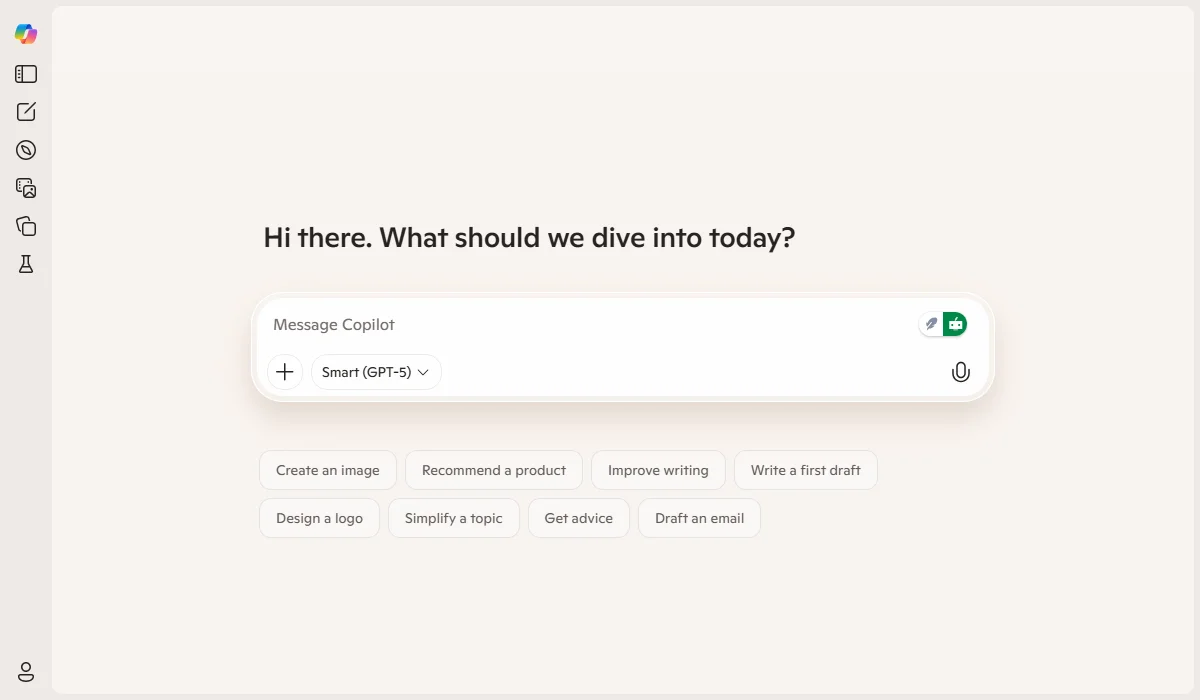
Copilot is an AI assistant automating Microsoft 365 tasks.
Microsoft Copilot is an AI productivity assistant announced in March 2023 that combines GPT-4o with Microsoft 365 applications and your business data. It helps automate tasks like drafting emails, summarizing documents, creating presentations, and managing meetings within Word, Excel, PowerPoint, Outlook, and Teams. Copilot excels at generating new content from scratch and streamlining workflows for teams already embedded in the Microsoft ecosystem.
Choosing between Grammarly and Copilot isn’t about picking the “better” tool—it’s about understanding which features align with your specific needs. Let’s break down how these AI assistants perform across six critical areas, so you can see exactly where each one shines.
Fast Comparison Table
|
Feature |
Grammarly | Copilot |
Winner |
| Grammar & Proofreading | 9.6/10 rating, advanced error detection | 9.3/10 rating, basic checking | Grammarly |
| Content Generation | 7.8/10, enhancement-focused | 9.0/10, creation from scratch | Copilot |
| Tone Detection | 9.5/10, detailed tone analysis | 7.6/10, basic tone features | Grammarly |
| Plagiarism Detection | Yes (Premium/Pro) | No | Grammarly |
| Brand Voice | Custom style guides | Limited customization | Grammarly |
| Integrations | 1M+ apps and sites | Microsoft 365 only | Grammarly |
Winner: Grammarly
Grammarly dominates the proofreading arena with a high rating for grammar checking. It catches not just basic typos and missing punctuation, but also commonly confused words, contextual spelling errors, and grammatical mistakes that slip past most spell-checkers. The tool provides in-line suggestions as you type, explaining why each correction matters and offering one-click fixes.
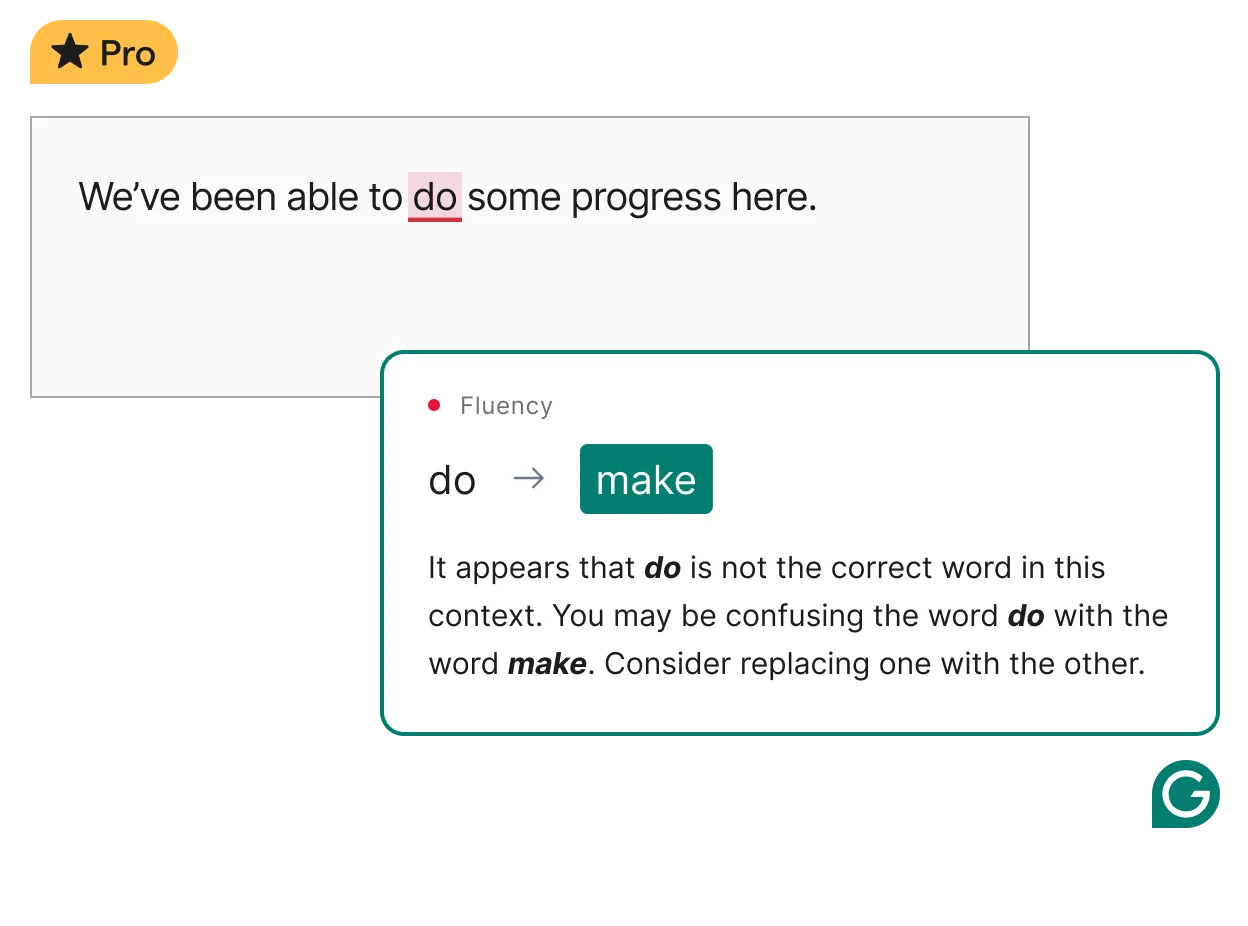
Grammarly dominates with advanced grammar and proofreading.
Copilot performs basic proofreading, but it doesn’t match Grammarly’s specialized, detailed error detection. While Copilot can identify obvious mistakes, it lacks the depth of analysis that makes Grammarly the gold standard for anyone who needs flawless writing.
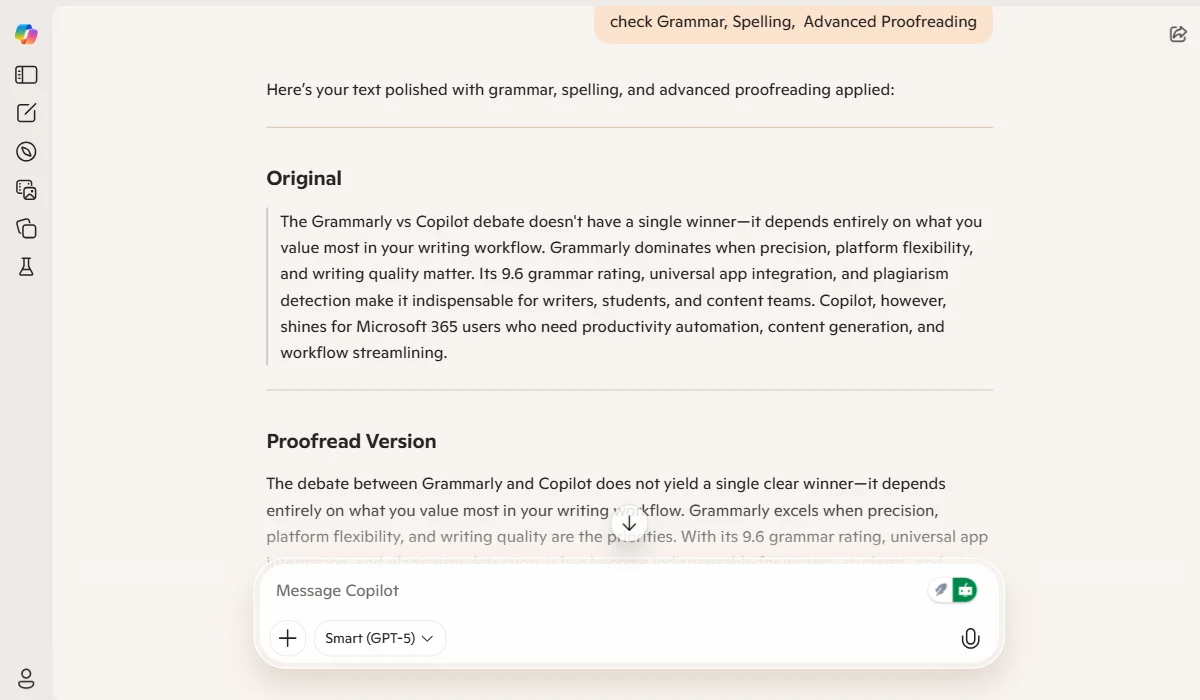
Copilot provides basic proofreading, lacking deep analysis.
Winner: Copilot
When it comes to generating content from a blank page, Copilot takes the crown for AI text generation. Built on GPT-4o and now supporting Anthropic’s Claude models, Copilot excels at creating first drafts, brainstorming ideas, and automating repetitive writing tasks within Microsoft apps. It can draft entire emails, summarize lengthy reports, and generate presentation outlines with minimal input.
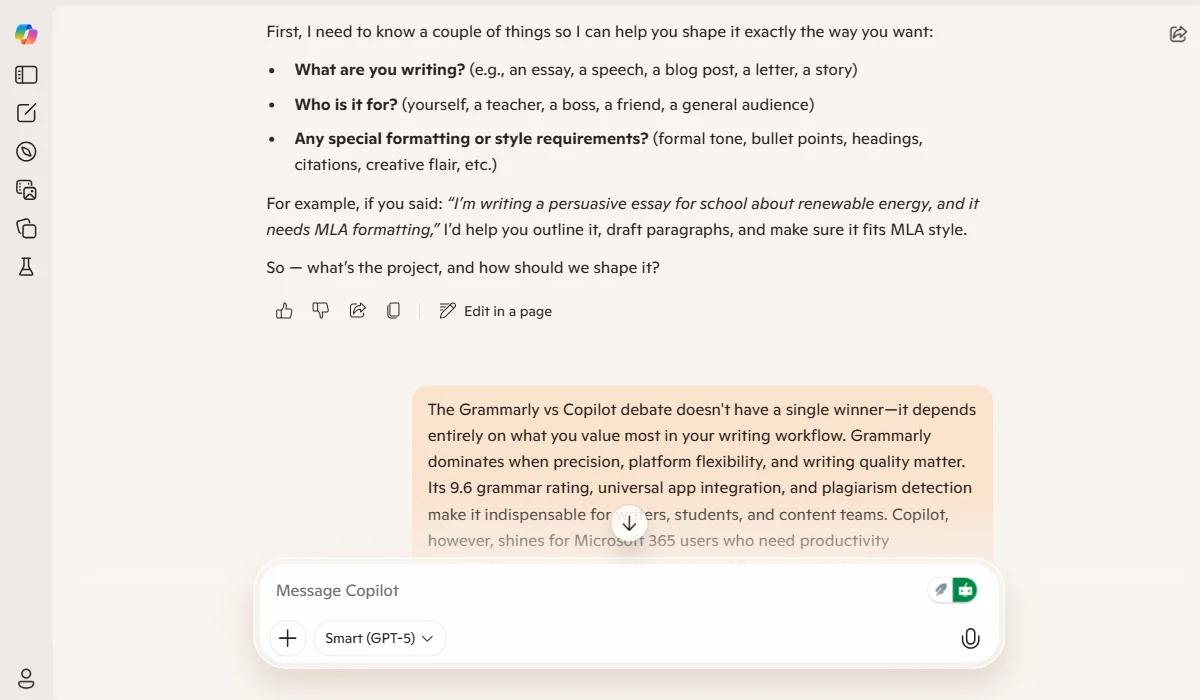
Copilot excels at generating content and drafts with AI.
Grammarly’s GrammarlyGO feature, powered by advanced GenAI models, focuses more on enhancing existing text through rewrites and improvements rather than creating content from scratch. With its AI capabilities, Grammarly is better suited for polishing what you’ve already written than replacing the initial creative process.
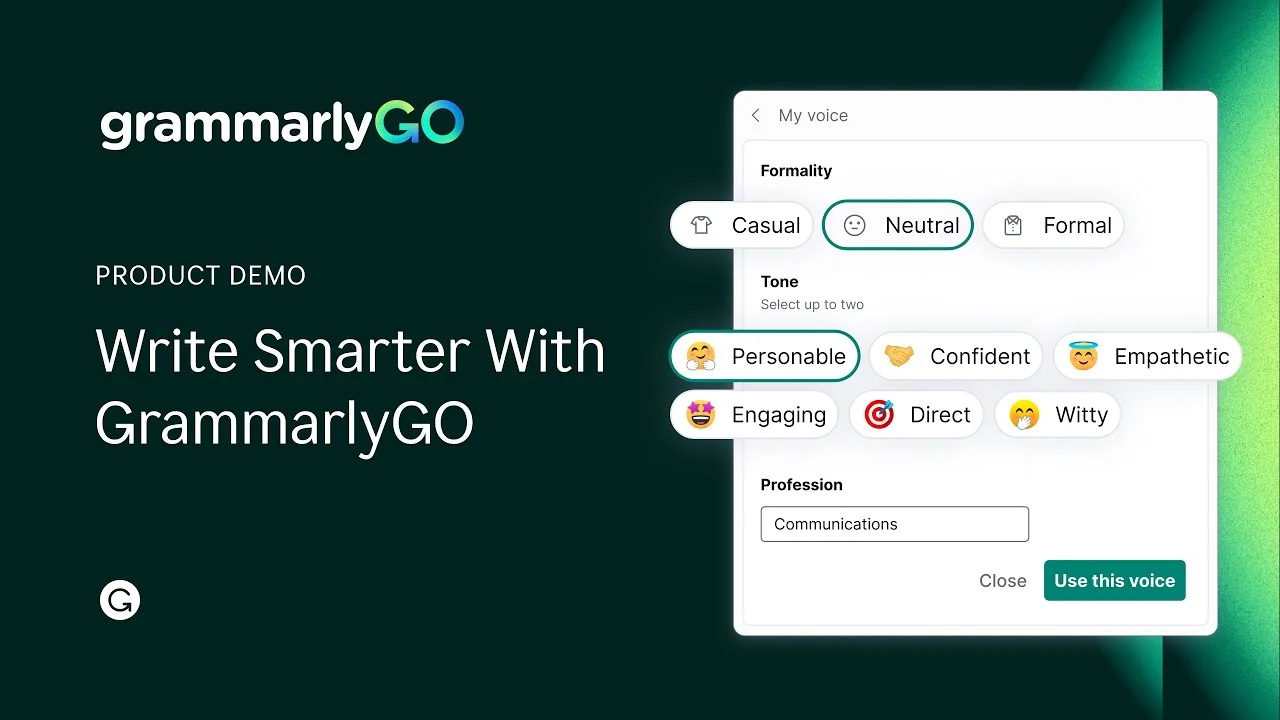
GrammarlyGO focuses on text enhancement and polishing.
Winner: Grammarly
Grammarly’s tone detection feature outperforms Copilot significantly. Grammarly analyzes your writing and tells you exactly how it sounds—formal, friendly, confident, or worried—then offers specific suggestions to adjust your tone to match your intent. This feature proves invaluable when crafting sensitive emails or client communications where the wrong tone could damage relationships.
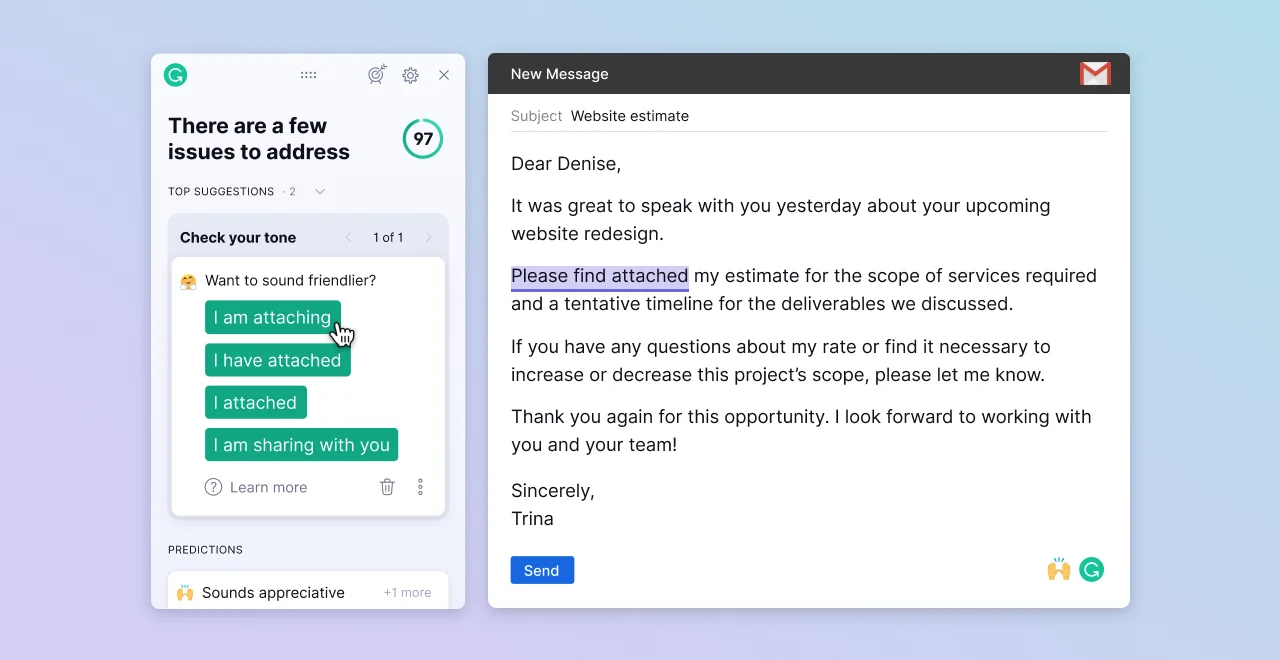
Grammarly analyzes tone to match user intent.
Copilot offers basic tone adjustment capabilities, but without the nuanced analysis that Grammarly provides. For professionals who need to ensure their messages land correctly—from formal business proposals to casual team chats—Grammarly’s sophisticated tone engine delivers actionable insights that actually improve communication outcomes.
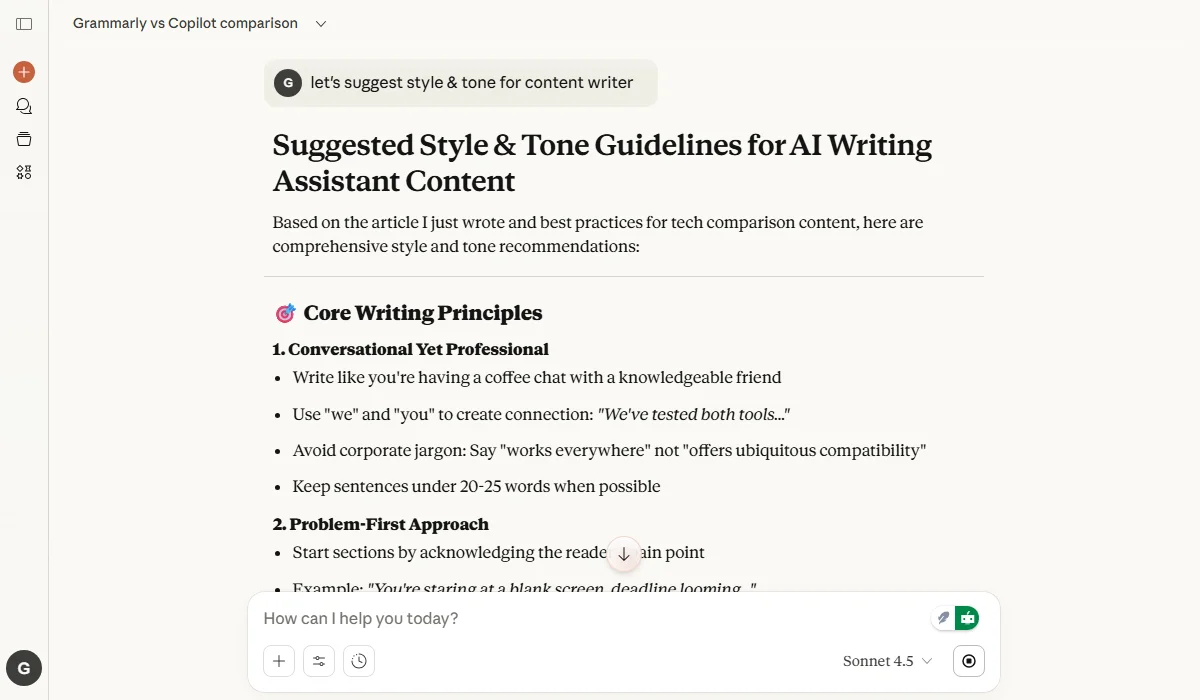
Copilot offers basic tone adjustment capabilities.
Winner: Grammarly
Grammarly includes plagiarism detection in its Premium and Pro plans, scanning your text against billions of web pages to flag potential matches. This feature is essential for students, academics, content creators, and anyone who needs to ensure their work is original.
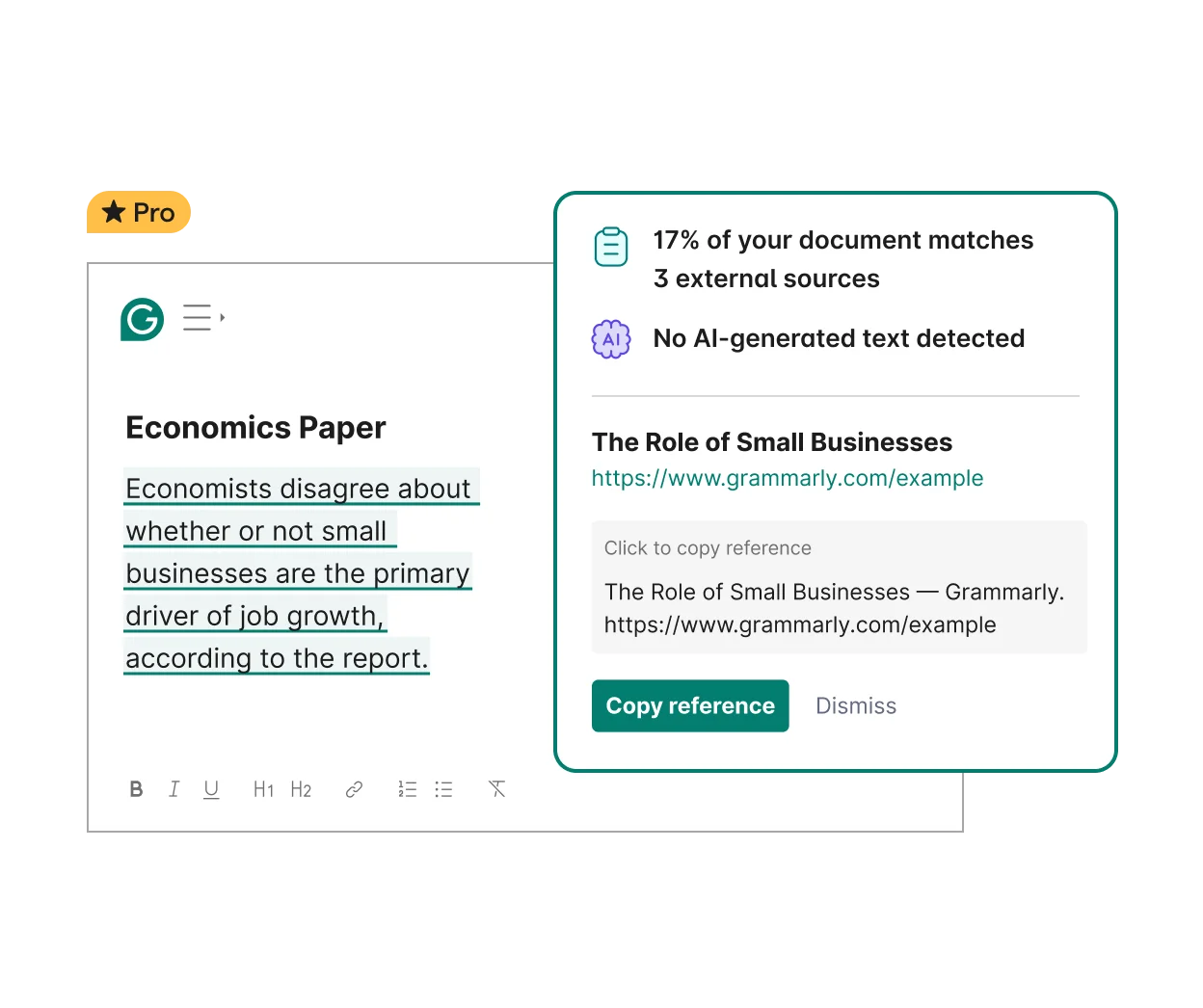
Grammarly detects plagiarism for content originality.
Copilot offers no plagiarism detection capabilities whatsoever. While Copilot can generate original content based on your prompts, it provides no way to verify that generated text doesn’t inadvertently match existing sources. If content originality matters to your work—whether you’re writing research papers, blog posts, or marketing copy—Grammarly’s plagiarism checker gives you confidence that your writing is genuinely yours.
Winner: Grammarly
Grammarly’s style guide feature allows teams to create custom brand voice guidelines, ensuring consistent terminology, tone, and formatting across all company communications. With 92% style-guide feature adoption reported by users, this capability helps organizations maintain their unique voice at scale. You can define preferred spellings, banned words, and writing style preferences that Grammarly enforces automatically.
Grammarly enforces custom brand voice and style guides.
Copilot lacks dedicated brand voice customization tools, relying instead on your organization’s existing Microsoft 365 content to learn patterns. For businesses that take brand consistency seriously—especially marketing teams, agencies, and enterprises with strict communication standards—Grammarly’s customizable style guides provide the control needed to protect brand identity.
Winner: Grammarly
Grammarly works across more than 1 million apps and websites, including Chrome, Safari, Firefox, Edge, Gmail, Google Docs, Slack, Discord, Microsoft Office, Apple Mail, and hundreds of native desktop applications. It deploys in just one day and works automatically wherever you write.
Grammarly integrates across 1M+ apps and websites.
Copilot, by contrast, stays confined to the Microsoft ecosystem—Word, Excel, PowerPoint, Outlook, Teams, and Microsoft 365 web apps. While Copilot’s deep Microsoft integration provides powerful automation within that environment, Grammarly’s universal compatibility means you get consistent writing assistance across your entire digital workflow. If you use tools beyond Microsoft’s suite—especially Google Workspace, Slack, or various project management platforms—Grammarly delivers the flexibility Copilot simply cannot match.
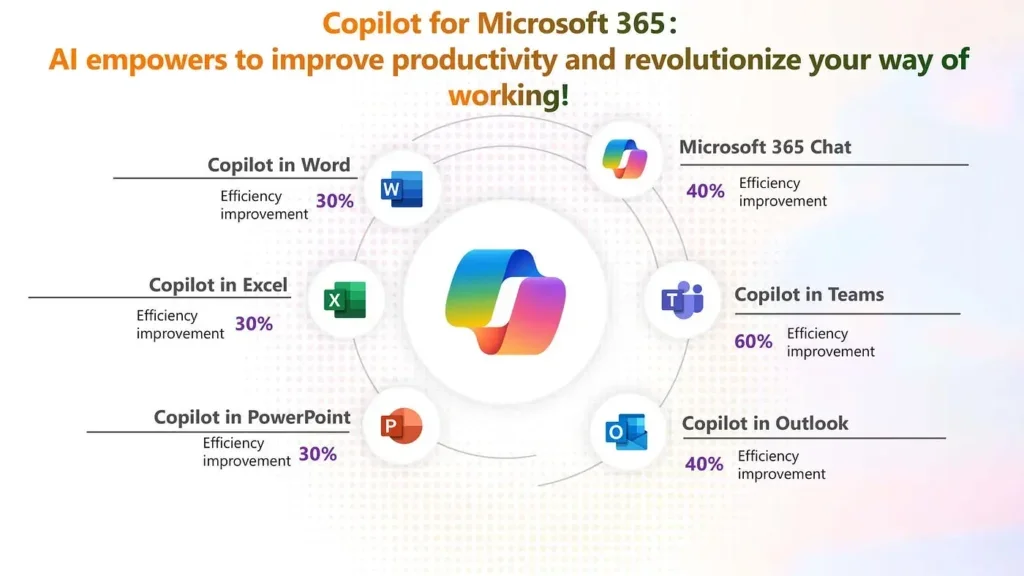
Copilot integrates deeply within the Microsoft ecosystem (Source: CTO Magazine)
You may be interested in:
Grammarly vs LanguageTool: Which Grammar Checker Wins in 2025?
10 Best Grammarly Alternatives in 2025
| Grammarly | Copilot | |
|---|---|---|
| Pros | ✅ Superior grammar and spelling detection
✅ Works across 1M+ apps and websites ✅ Advanced tone detection and style suggestions ✅ Plagiarism detection included ✅ Custom brand voice and style guides ✅ One-day deployment with minimal learning curve |
✅ Excellent content generation from scratch
✅ Deep Microsoft 365 integration with business data ✅ Automates meetings, emails, and reports ✅ Real-time translation for global teams ✅ Workflow automation and custom agents ✅ Processes data for actionable insights |
| Cons | ❌ Less powerful for generating content from scratch
❌ No meeting transcription or automation features ❌ Limited data analytics capabilities ❌ No real-time translation features |
❌ Limited to the Microsoft ecosystem
❌ No plagiarism detection ❌ Basic tone detection compared to Grammarly ❌ Requires Microsoft 365 subscription ❌ Steeper learning curve for prompt engineering |
| Feature | Grammarly | Copilot |
| Free Plan | Yes – 100 AI prompts, grammar checking, tone detection | Yes – Basic drafting, summarizing, image generation |
| Free Trial | No traditional trial, but robust free-forever plan | Limited features without subscription |
| Credit Card Required | No for free plan | No for free tier |
| Individual Pricing | $12/month (billed annually) or $30/month (billed monthly) (Pro) – 2,000 AI prompts, full-sentence rewrites, brand voice | Starts at $9.99/mo (Personal) or $19.99/mo (Premium) – Includes Copilot in apps |
| Business/Enterprise | Custom pricing – Unlimited prompts, dedicated support, BYOK security | $18-30/month/user – Microsoft 365 Copilot with business data grounding |
| Special Options | Annual discounts available | No short-term passes available (Monthly subscription only) |
| Refund Policy | 7-day money-back guarantee on Premium plans | Standard Microsoft refund terms |
| Upgrade/Downgrade | Flexible—Change plans anytime, prorated billing | Managed through the Microsoft 365 admin center |
| Key Considerations | Unlimited apps access, no ecosystem lock-in | Requires Microsoft 365 license for full features |
Key Insight: Grammarly offers better value for individuals who write across multiple platforms, while Copilot makes sense only if you’re already invested in Microsoft 365.
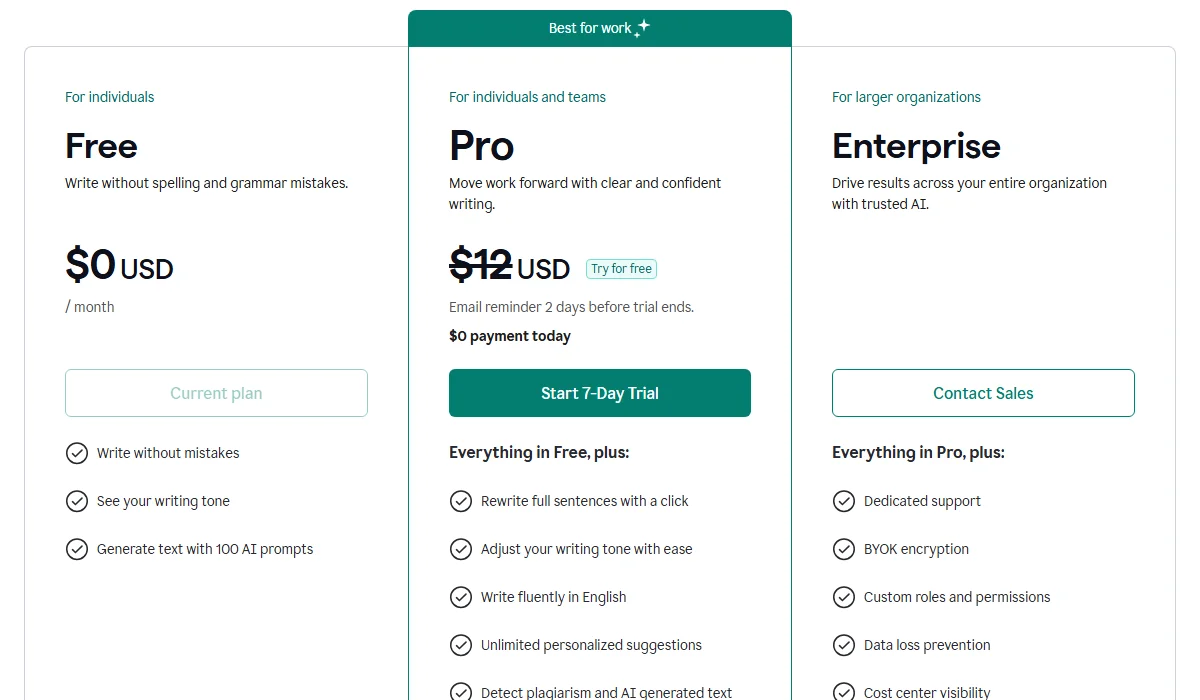
Grammarly Pricing Plan
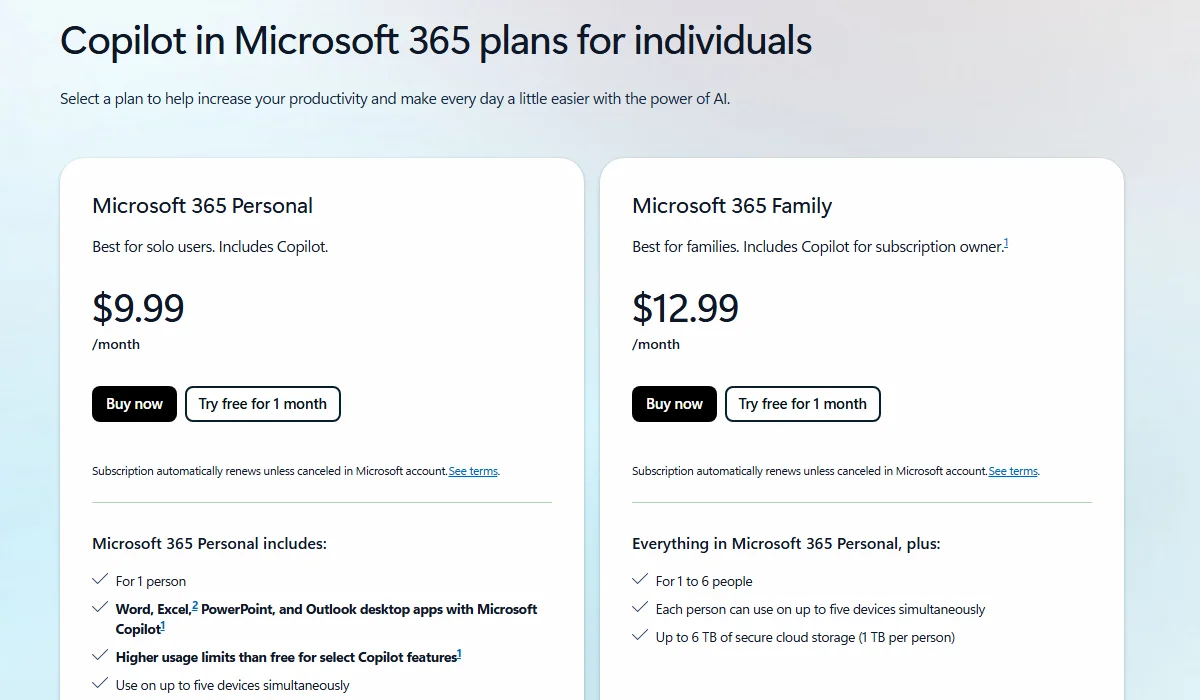
Copilot Pricing Plan
Making the right choice depends on how you work and what you need to achieve. Before committing to a subscription, weigh these four critical factors to see which tool aligns best with your workflow:
You may be interested in:
Wordtune vs Grammarly (2025): Which Is The Best AI Writing Tool?
Copy AI vs Grammarly: Which Is best for an AI Writing Tool?
Choose Grammarly if you’re:
Choose Copilot if you’re:
Choose both if you’re:
What’s your experience with Grammarly vs Copilot? Share your thoughts in the comments below, and subscribe to TechDictionary for more AI tool comparisons that help you work smarter!